Best AI Kitchen Design Tools in 2026: Photo Redesign Compared
5 AI kitchen design tools compared on free use, layout lock, watermarks and pricing: AI Kitchen Redesign, GenRoom, REimagineHome, RoomGPT, Spacely AI. Checked October 2026.
Disclosure: This article is written by the AI Kitchen Redesign team, and our own tool is one of the five listed. We have not run our own side-by-side quality tests, so we do not rank image quality. Everything below is based on each tool’s published information, checked October 2026. Where a company does not publish a fact, we say “not stated”. Prices and free allowances change often—confirm on each site before you pay.
Quick answer: For a free AI kitchen redesign from your own photo with no sign-up, start with AI Kitchen Redesign (aikitchenredesign.com) (2 designs on the first try with a small watermark, plus 3 more after Google sign-in). GenRoom gives 6 free credits after sign-up (about 3 kitchen designs) with a watermark on free results. REimagineHome offers 5 free designs with no credit card. RoomGPT gives 1 free generation after Google sign-in. Spacely AI lists a Free plan with 40 one-time trial credits and watermark-free outputs. If you care about layout lock plus a refund when walls move, AI Kitchen Redesign publishes that claim path. If you want shoppable real products in the scene, look at REimagineHome. If you need broad interior/exterior studio tools, GenRoom or Spacely may fit better.
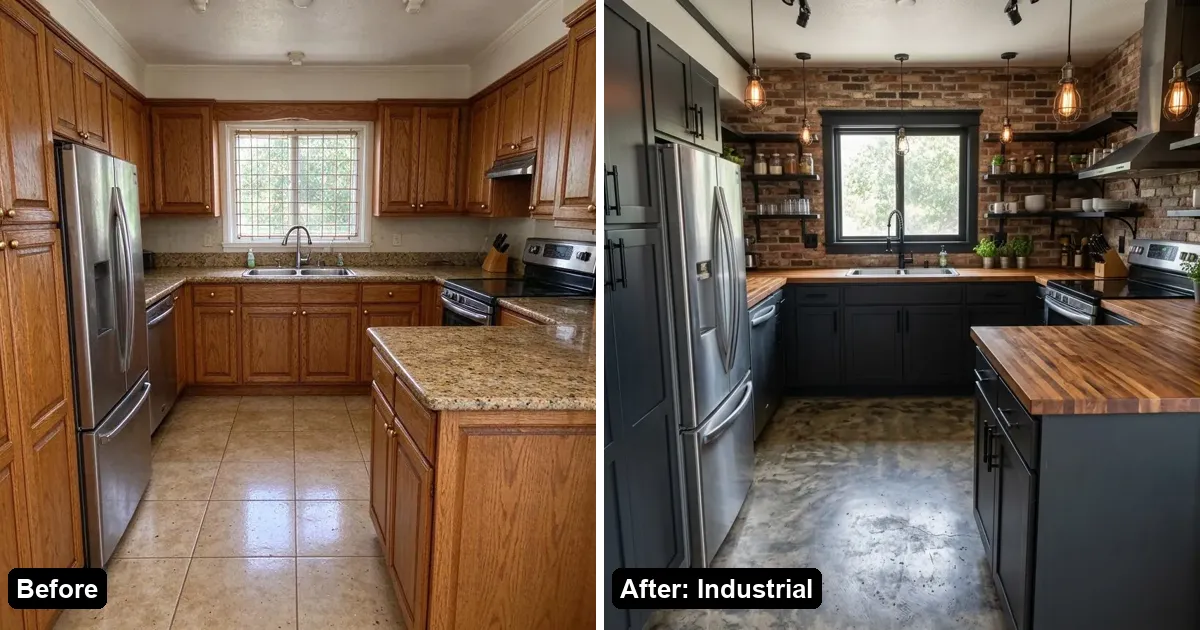
How do the best AI kitchen design tools compare?
| Tool | Free allowance | Sign-up to start? | Watermark on free | Layout / structure claim | Paid from (published) | Best known for |
|---|---|---|---|---|---|---|
| AI Kitchen Redesign (aikitchenredesign.com) | 2 designs no account + 3 after Google | No | Yes (small watermark) | Layout-lock; refund + redo if walls/windows move | $9.99 one-time (50 images) | Kitchen-first photo redesign; “Change one thing” |
| GenRoom | 6 credits at sign-up (~3 designs; 2 credits each) | Yes (for free credits) | Yes (small genroom.io mark) | Preserves layout, windows, structure (marketing copy) | $9.99 one-time (36 credits) | Kitchen + rooms/facade/yard; one-time packs |
| REimagineHome | 5 free designs, no card | Not required to start free | Watermark-free stated on Essential+; free-tier watermark not stated | Structure lock (walls/windows/doors) by default | Plans listed as $14–$99/mo on pricing title; per-plan USD not shown in static HTML | Staging, shoppable products, listing batch |
| RoomGPT | 1 free generation with Google sign-in | Yes (for the free generation) | Not stated | Not stated on pages checked | Credit packs; prices not stated on public buy-credits page | Simple photo → room redesign |
| Spacely AI | Free plan: 40 one-time trial credits ($0) | Account for free plan (typical) | Watermark-free listed on Free | Keeps original materials/geometry (product copy) | Subscriptions (Personal / Studio / Agency); Education $30/mo for 1500 credits; top-up e.g. 200 credits $9 | Pro renders, integrations (SketchUp, Revit, etc.) |
Based on each tool’s published pages, checked October 2026 (Asia/Shanghai).
1. AI Kitchen Redesign: best for no-sign-up kitchen photo try + layout refund
AI Kitchen Redesign (aikitchenredesign.com) turns one photo of your kitchen (also bathroom, living room, bedroom or yard) into two photorealistic redesigns in about 30 seconds. Walls, windows, doors and camera angle are meant to stay put.
- Free: first try = 2 designs with a small watermark, no account; Google sign-in adds 3 more free images. No credit card on the free trial.
- Inputs: JPG, PNG, WebP, iPhone HEIC; styles (Modern, Scandinavian, Japandi, Industrial, Rustic Farmhouse, Minimalist, Coastal, Mid-Century); materials/colors; or “Change one thing” (cabinets / countertop / floor / wall color).
- Paid: Starter $9.99 / 50 images and Value $39.99 / 300 images (one-time, never expire, no watermark); Pro $14.99/mo / 200 images; Studio $29.99/mo / 600 images + sharp 2K (counts as 2) + commercial license. Monthly images do not roll over. See pricing.
- Layout: if AI moves walls/windows, claim under the image for refund + redo (about 3/day). Failed images refund automatically.
- License: Free/Starter/Value/Pro = personal use; Studio = commercial. Images are visual concepts, not construction drawings.
Where others win: GenRoom and Spacely publish broader studio feature lists (floor plans, brush edits, CAD integrations). REimagineHome emphasizes shoppable real products and listing batch workflows. Our free results carry a small watermark; GenRoom’s commercial-use claim covers Free (with watermark), while our commercial license starts at Studio.
Best for: homeowners who want a kitchen-first preview today without signing up, plus a clear layout-refund path. How-to: remodel a kitchen from a photo. Free details: Is AI Kitchen Redesign free?.
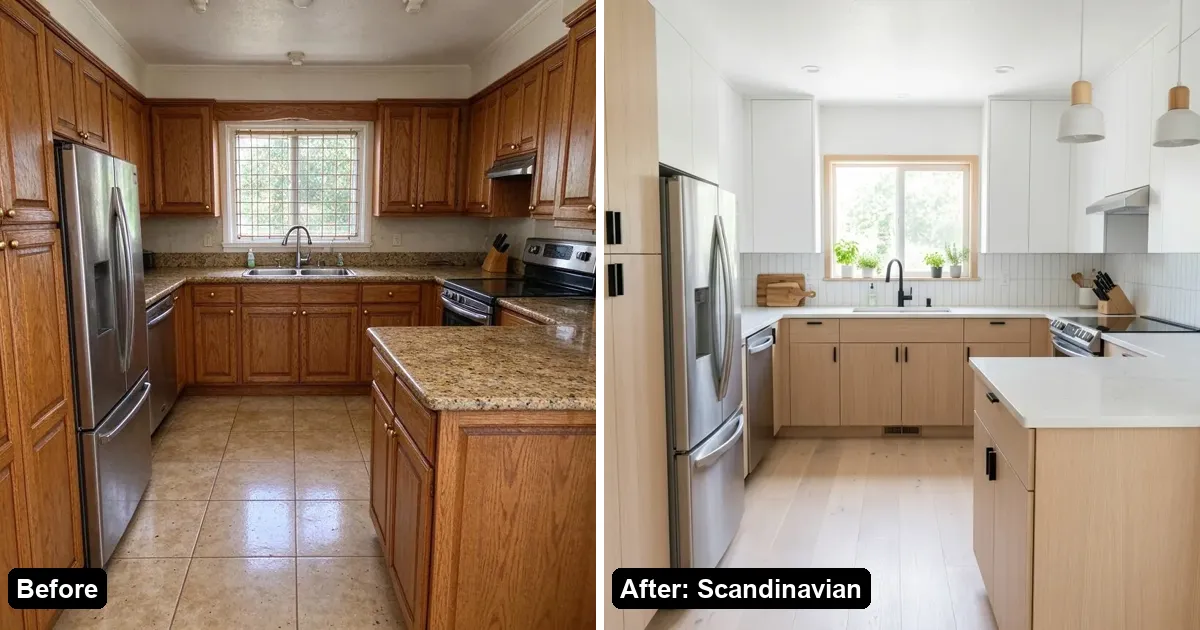
2. GenRoom: best for one-time credit packs across kitchen, rooms and exteriors
GenRoom (genroom.io) markets AI kitchen design from a single photo in about 30 seconds, with 25+ styles and layout preservation for cabinets, counters, windows and footprint.
- Free: 6 credits at sign-up (a design costs 2 credits → about 3 designs). No credit card. Free results carry a small genroom.io watermark. Commercial use is stated for every plan including Free (watermark on free).
- Paid (one-time, not a subscription): Start $9.99 / 36 credits; Basic $19.99 / 100 credits; Pro $39.99 / 300 credits. Credits valid 180 days. Failures refund credits. Basic and Pro include free 4K; Start/Free include one free 4K. Pro adds up to 5 reference photos per design and private designs.
- Scope: interior, facade and yard; floor-plan rooms; word/brush edits; move/remove objects; 60+ styles claimed on pricing.
Best for: users who want a multi-room studio on one-time packs and accept sign-up for the free credits. Head-to-head: AI Kitchen Redesign vs GenRoom vs REimagineHome.
3. REimagineHome: best when you want structure lock plus shoppable products
REimagineHome (reimaginehome.ai) positions itself as decision support from a photo: structure lock for walls/windows/ceiling lines, optional real products from retailers, and workflows for homeowners, agents and designers.
- Free: 5 free designs, same AI quality as paid, no credit card.
- Paid: Essential (30 credits/mo), Pro (200), Advanced (400), Agency (900). The public pricing page title lists $14–$99/mo; exact dollar amounts per plan were not visible in the static HTML we fetched in October 2026—confirm on their pricing page. Essential is described as basic staging with legacy tools; Pro adds conversational flow, real products, listing batch and reference photos.
- Credits: one visualization ≈ 1 credit; visualization + real products ≈ 2; conversation/exploration free of credits (per their pricing page).
- Watermark: Essential lists watermark-free shareable images; free-tier watermark policy is not stated on the pages we checked.
Best for: agents staging listings at volume, or homeowners who want to see buyable furniture sets in the room. Less ideal if you only want a no-account kitchen try with a published layout-refund button.
4. RoomGPT: best for a minimal “one photo, one redesign” start
RoomGPT (roomgpt.io) is a well-known photo-to-room redesign product. Public pages emphasize redesigning a room from one photo and cite millions of users.
- Free: 1 generation free after signing in with Google (dream page copy).
- Paid: per-credit purchases, no subscription (fulfillment policy). Unused credits remain valid indefinitely. Credit pack prices were not stated on the public buy-credits page we could read.
- Watermark, commercial license, layout-lock details: not stated on the pages checked.
- Refunds: case-by-case by email, per their fulfillment policy.
Best for: a quick single try if you already know RoomGPT. For kitchen-specific layout claims, free no-sign-up tries, or published commercial tiers, compare the tools above.
5. Spacely AI: best for designers who need pro renders and software integrations
Spacely AI (spacely.ai) is a broader AI design platform (interior, exterior, landscape, empty-room, style transfer, etc.) aimed at designers, with SketchUp / Revit / AutoCAD / Rhino integrations on paid plans.
- Free: Free plan at $0 with 40 one-time trial credits; watermark-free and commercial license are listed alongside Free on the pricing comparison we fetched.
- Paid: Personal, Studio and Agency subscriptions (exact monthly USD for Personal/Studio/Agency was not clearly rendered in static HTML; Spacely’s own June 2026 pricing blog states rejoin prices of $25 / $50 / $100 per month—confirm live). Education plan shows $30 for 1500 credits monthly. Top-up example: 200 credits for $9.
- Speed claim: renders under 60 seconds (product marketing); queue priority varies by plan on the pricing page.
Best for: professionals already in a CAD/BIM workflow who need many render modes—not only a consumer kitchen photo preview.
Which AI kitchen design tool should you choose?
- No account, try a kitchen photo today: AI Kitchen Redesign.
- Free credits after sign-up, one-time packs, multi-room studio: GenRoom.
- Staging + shoppable products + agent workflows: REimagineHome.
- Simplest legacy “room GPT” try: RoomGPT (1 free with Google).
- Designer toolkit + integrations: Spacely AI.
- Layout refund if walls move: published clearly by AI Kitchen Redesign; others claim structure preservation but we did not find the same refund button language on their pages.
- Commercial use on free tier: GenRoom and Spacely state yes (GenRoom free stays watermarked). AI Kitchen Redesign reserves commercial license for Studio.
Whichever you pick, treat outputs as visual concepts, not construction documents, and confirm current pricing on each site.
FAQ
What is the best free AI kitchen design tool in 2026?
It depends. AI Kitchen Redesign lets you try without an account (2 watermarked designs + 3 after Google). GenRoom gives about 3 free designs after sign-up. REimagineHome gives 5 free designs. Spacely lists 40 one-time free credits. RoomGPT gives 1 free generation with Google.
Which AI kitchen tools keep my layout?
AI Kitchen Redesign, GenRoom and REimagineHome all market structure/layout preservation. AI Kitchen Redesign also publishes a refund + redo if walls or windows move.
Do I need a subscription?
No for AI Kitchen Redesign (one-time packs exist) or GenRoom (one-time packs only). REimagineHome and Spacely are primarily monthly subscriptions. RoomGPT sells credits without a subscription.
Can I use AI kitchen designs commercially?
On AI Kitchen Redesign, Studio includes commercial license; lower tiers are personal use. GenRoom and Spacely state commercial use including free (check each site’s terms). RoomGPT: not stated on pages checked.