RoomGPT Alternatives in 2026: 6 AI Room Redesign Tools Compared
Looking for a RoomGPT alternative? Compare AI Kitchen Redesign, Interior AI, DecorAI, GenRoom, REimagineHome and Spacely AI on free trials, layout, pricing and room types. Checked October 2026.
Disclosure: This comparison is written by the AI Kitchen Redesign team, and our tool is one of the alternatives listed. We have not run side-by-side quality tests. Facts come from each company's own website, checked October 2026, and may change.
Quick answer: RoomGPT is one of the best-known photo-to-room redesign tools; its site says it has been used by over 4 million people, and it gives one free generation after Google sign-in. Good alternatives depend on what you need: AI Kitchen Redesign if you want to try without signing up and keep your walls and windows (with a refund if they move); Interior AI for 56 styles and high volume; DecorAI for 175 styles and a 30-day money-back guarantee; GenRoom for one-time packs covering rooms, facades and yards; REimagineHome for 5 free designs and shoppable products; Spacely AI for 40 free credits and pro integrations.
Why look for a RoomGPT alternative?
People usually switch for one of these reasons:
- They want more than one free try, or to try without an account.
- They want a tool focused on keeping the real layout of a kitchen or bathroom.
- They want one-area edits, such as changing only cabinets or the floor.
- They need published pricing, a commercial license or no subscription.
How do the alternatives compare?
| Tool | Free to try | Sign-up | Paid from | Best for |
|---|---|---|---|---|
| RoomGPT | 1 generation | Google sign-in | Credit packs; prices not shown publicly | Simple one-photo redesign |
| AI Kitchen Redesign | 2 designs + 3 after Google | Not needed for the first 2 | $9.99 one-time for 50 images | Kitchens, baths, rooms and yards that keep their layout |
| Interior AI | Not stated | Account | $49 / month ($29 yearly) | 56 styles, high volume, commercial license |
| DecorAI | 3 designs, 1-day trial | Account and card | $24 / month | 175 styles, 30-day money-back guarantee |
| GenRoom | 6 credits | Account | $9.99 one-time for 36 credits | One-time packs for rooms, facades and yards |
| REimagineHome | 5 designs | No credit card | Monthly plans | Structure lock and real products |
| Spacely AI | 40 trial credits | Account | Paid tiers | Pro renders and CAD integrations |
From each tool's website, checked October 2026.
1. AI Kitchen Redesign: best for trying without an account
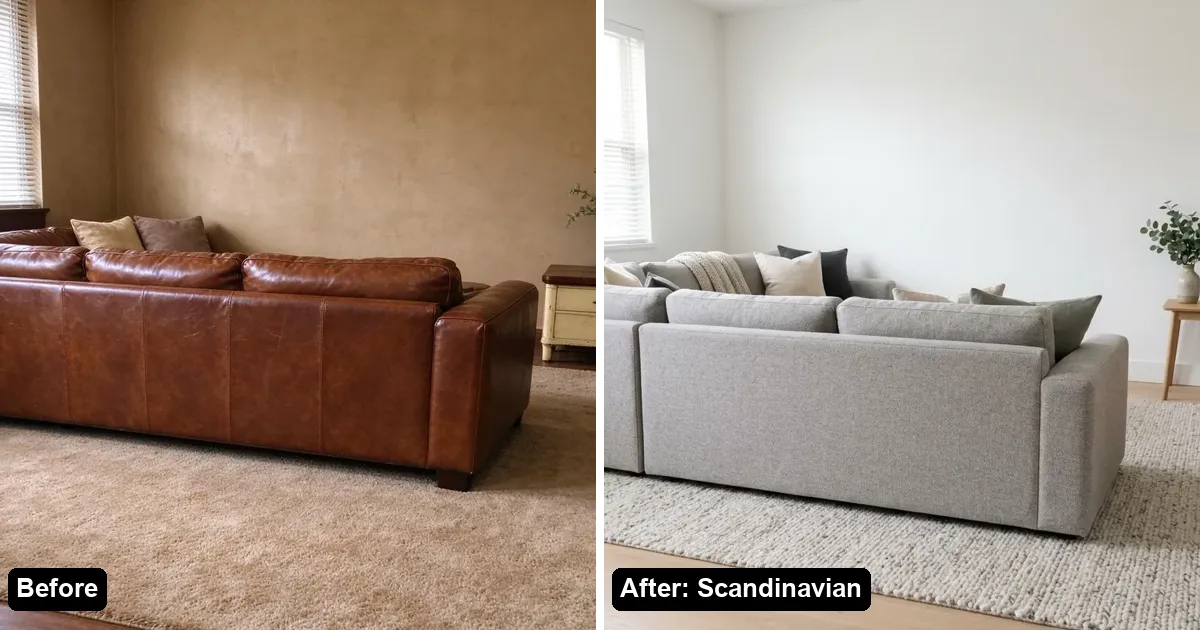
One photo of a kitchen, bathroom, living room, bedroom or yard becomes two redesigns in about 30 seconds. Walls, windows, doors and the camera angle stay put, and if the AI moves them you can claim the image back for a stricter redo. Pick from 8 interior styles or 8 garden styles, or use Change one thing to swap only cabinets, countertop, floor or wall color.
- Free: 2 designs with a small watermark and no account, then 3 more after Google sign-in.
- Paid: one-time packs ($9.99 for 50, $39.99 for 300) that never expire, or monthly Pro $14.99 and Studio $29.99 (commercial license and 2K).
2. Interior AI: best for volume and many styles
Interior AI lists 56 styles and dozens of room types, including bathrooms, kitchens and outdoor spaces. Pro is $49 a month (or $29 a month billed yearly) for 1,000 designs and includes a commercial-use license; Premium ($99) and Ultra ($199) add more tools and renders. The site does not mention a free trial.
3. DecorAI: best for style variety
DecorAI lists 175 styles (54 interior, 67 exterior, 54 garden). New users get a 1-day trial with 3 designs and no watermark, but the trial asks for a card; after that it is $24 a month, with a 30-day money-back guarantee.
4. GenRoom: best for one-time packs
GenRoom covers interiors, facades and yards on one-time packs from $9.99 for 36 credits; credits last 180 days. New accounts get 6 credits. Free results have a small watermark until you buy.
5. REimagineHome: best for shoppable products
REimagineHome gives 5 free designs with no credit card, keeps structure by default, and can show real products in the room. It is a monthly subscription after the free designs.
6. Spacely AI: best for professionals
Spacely's Free plan includes 40 trial credits, listed as watermark-free with a commercial license. Paid plans add seats and integrations such as SketchUp and Revit.
Which RoomGPT alternative should I pick?
- Homeowner, want to try today with no account: AI Kitchen Redesign.
- Many free designs: Spacely (40 credits) or REimagineHome (5 designs).
- No subscription: AI Kitchen Redesign or GenRoom.
- Designer or agency: Interior AI, DecorAI or Spacely.
FAQ
Is RoomGPT free?
Its app page says you get one free generation after signing in with Google. Further credits are paid.
What is the best free RoomGPT alternative?
For no sign-up, AI Kitchen Redesign (2 designs, 3 more with Google). For the most free credits, Spacely AI (40) or REimagineHome (5 designs).
Which alternative keeps my room layout?
AI Kitchen Redesign, GenRoom and REimagineHome all say they preserve structure. AI Kitchen Redesign also refunds and redoes an image if walls or windows move.
Which alternative has no subscription?
AI Kitchen Redesign and GenRoom sell one-time packs.