Is There an App That Can Remodel My Kitchen From a Picture?
Yes. Upload one photo of your kitchen and an AI tool shows realistic remodels in about 30 seconds, keeping your walls and windows. Free to try in the browser, no app install.
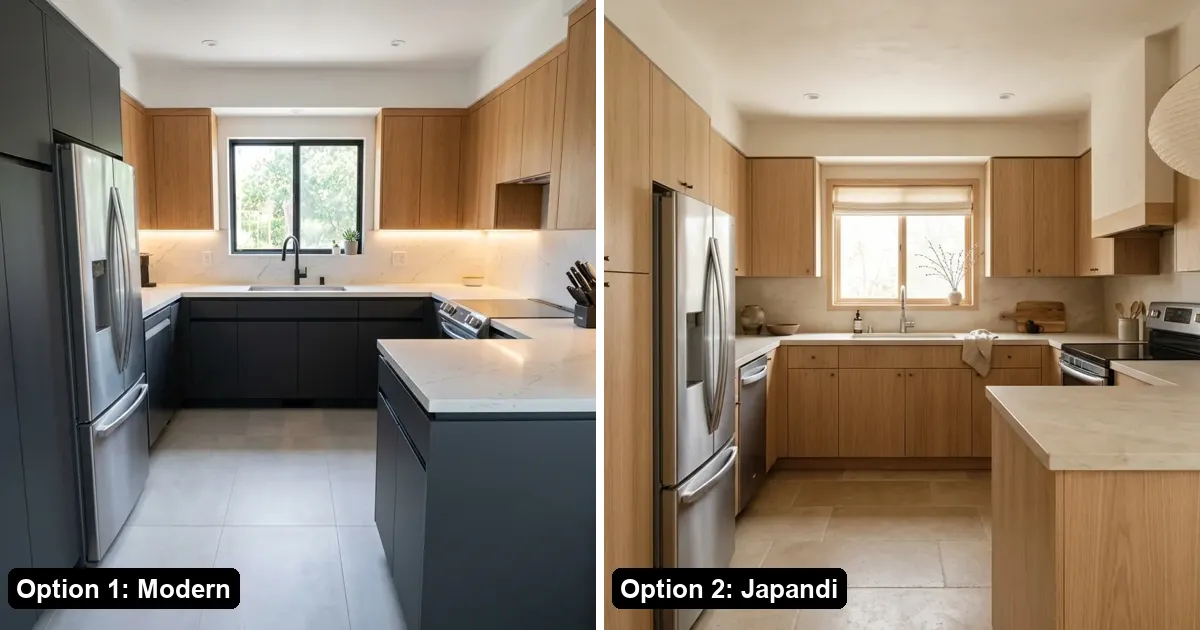
Quick answer: Yes. Several AI tools can remodel your kitchen from a single picture. On AI Kitchen Redesign, you upload one photo, pick a style such as Modern or Rustic Farmhouse, and get two realistic redesigns in about 30 seconds. Your walls, windows, doors and camera angle stay where they are; only cabinets, counters, floors, paint and lighting change. It runs in any web browser, so there is nothing to install, and the first two designs are free with no sign-up.
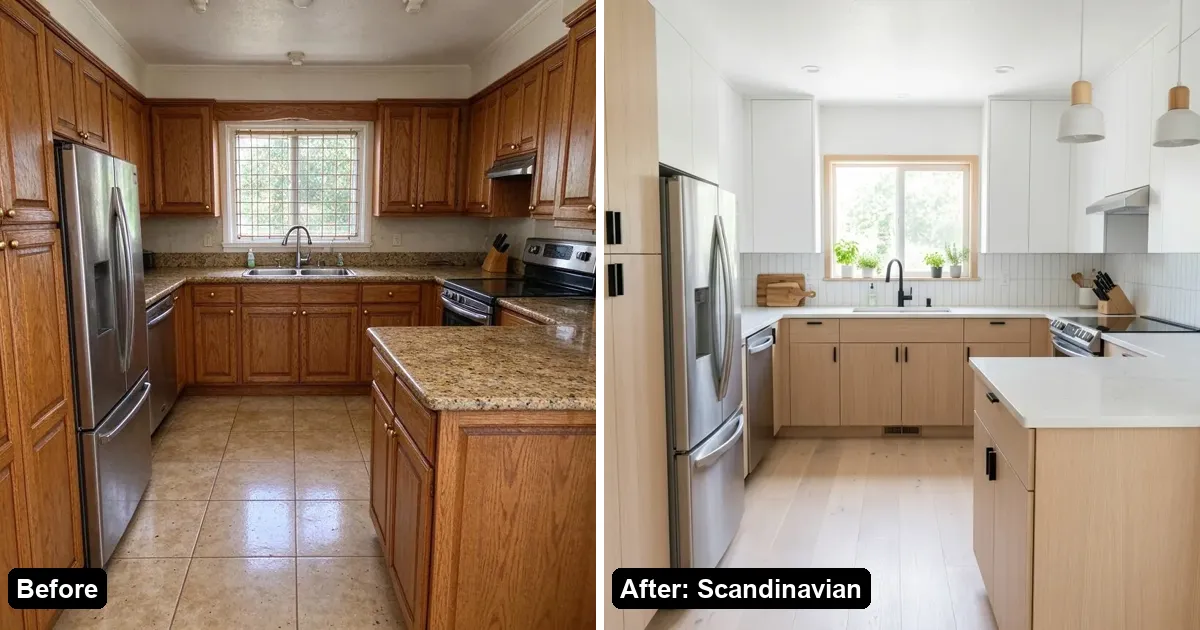
What does a "remodel from a picture" app actually do?
You take one photo of your kitchen as it is today. The AI keeps the room's structure and redraws the surfaces: new cabinet doors and colors, a different countertop, a new floor, fresh paint and updated lighting. The result is a visual concept of your own kitchen, not a stock photo of someone else's.
It is useful for three decisions:
- Choosing a direction: Modern, Scandinavian, Japandi, Industrial, Rustic Farmhouse, Minimalist, Coastal or Mid-Century.
- Comparing one material: for example, two cabinet colors on the same photo.
- Explaining the idea: showing family or a contractor what you mean before anyone quotes a price.
It does not produce measurements, permits or construction drawings.
How do I do it in 3 steps?
1. Take a clear photo
Stand in a doorway or corner so the cabinet run and the window are both in the frame. Daylight works best. JPG, PNG, WebP and iPhone HEIC photos all work.
2. Pick a style or one change
On aikitchenredesign.com, choose Redesign the whole room and a style, or Change one thing to swap only the cabinets, countertop, floor or wall color.
3. Compare and save
Drag the before/after slider. If the AI moved a wall or window, click "AI moved my walls or windows?" under the image: that image is refunded and redone with stricter layout rules (up to 3 times a day). Download the one you like or share a link.
Do I need to download an app?
No. AI Kitchen Redesign works in Safari, Chrome and other browsers on phones and computers. You can take the photo with your phone and upload it straight from the camera roll.
Is it free?
The first try gives you two designs with a small watermark, with no account and no card. Signing in with Google adds three more free images. After that, a one-time pack is $9.99 for 50 images (about 20 cents each), and packs never expire or auto-renew. Full details: Is AI Kitchen Redesign free? and pricing.
Why not just ask ChatGPT?
You can, and it is fine for mood boards. General chat tools often move windows, change the camera angle or invent a different room, and there is no before/after slider or refund when that happens. A dedicated tool has layout rules built in and one-click styles and materials. We compare the two in Can ChatGPT redesign my kitchen from a photo?
Which other apps do this?
GenRoom, REimagineHome, RoomGPT, Interior AI and DecorAI also turn photos into room redesigns, each with different free allowances and pricing. See our side-by-side list: Best AI kitchen design tools.
FAQ
Is there a free app to remodel my kitchen from a picture?
Yes. AI Kitchen Redesign is free to try in the browser: two watermarked designs with no account, plus three more after Google sign-in.
Will the app keep my kitchen layout?
AI Kitchen Redesign is built to keep walls, windows, doors and the camera angle. If a result moves them, you can claim that image back and get a redo.
Can I change only the cabinets?
Yes. Use "Change one thing" and pick cabinets, countertop, floor or wall color. See Change only kitchen cabinets with AI.
Does it work for bathrooms and yards too?
Yes. The same tool handles bathrooms, living rooms and bedrooms and yards.
Are the pictures accurate enough to order materials?
No. They are visual concepts. Measure and confirm materials with your contractor or supplier before ordering.