Kitchen Cabinet Color Visualizer: See New Cabinet Colors on Your Own Kitchen
Preview sage green, navy, black, white oak or two-tone cabinets on a photo of your own kitchen in seconds. Free to try, no sign-up. Walls, counters and windows stay the same.
Quick answer: A kitchen cabinet color visualizer shows new cabinet colors on a photo of your kitchen before you paint or reface. On AI Kitchen Redesign, upload a photo, choose Change one thing → Cabinets, and pick a preset such as sage green shaker, navy blue shaker, matte black flat-panel, natural white oak or two-tone (navy lowers, white uppers), or type your own. Only the cabinets change; your counters, floor, walls and windows stay as they are. Each preview uses one image, and the first two are free with no sign-up.
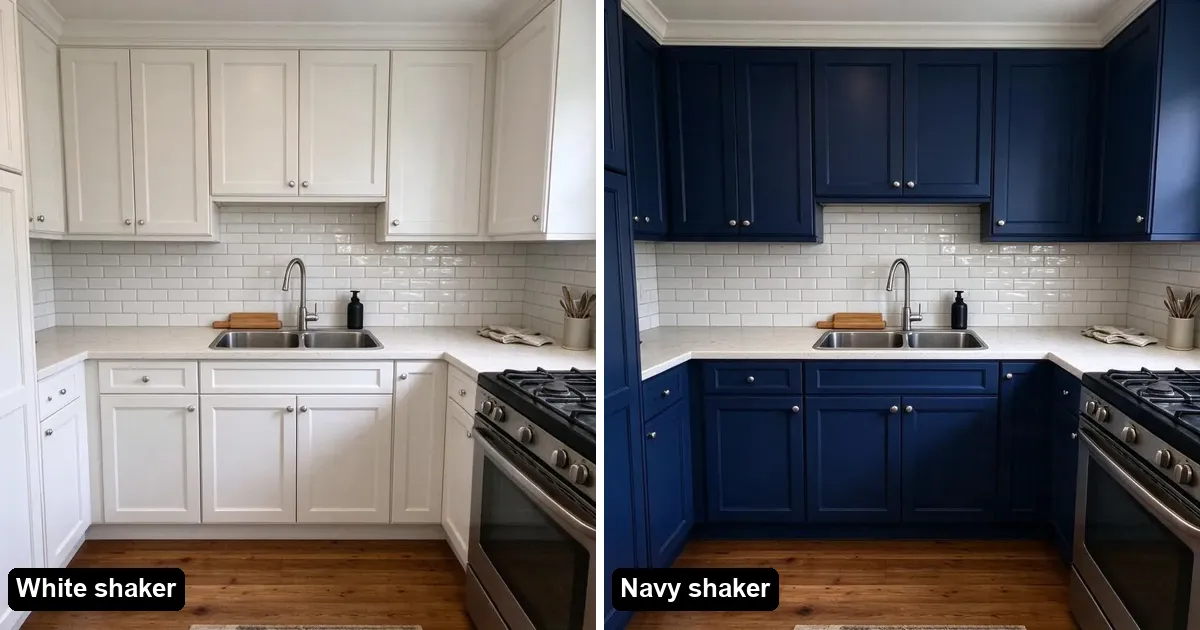
Why preview cabinet colors on your own photo?
Paint chips and showroom photos do not show your light, your floor or your countertop. A color that looks calm in a catalog can look dark in a kitchen with one small window. Seeing the color on your own room answers the real question: does it work with everything else I am keeping?
Painting or refacing cabinets is also one of the bigger line items in a kitchen refresh. NerdWallet, citing Hanley Wood data, puts kitchen remodels at around $28,500 for a minor refresh and over $160,000 for a major upscale one (NerdWallet). A few previews first cost cents.
How do I try cabinet colors in 4 steps?
- Take a photo facing the main cabinet wall in daylight. Open the curtains so the window is clear.
- Upload it on aikitchenredesign.com and choose Change one thing.
- Pick Cabinets, then a preset color and style, or describe it, for example "matte forest green slab doors with brass handles".
- Compare with the before/after slider, then try the next color on the same photo.
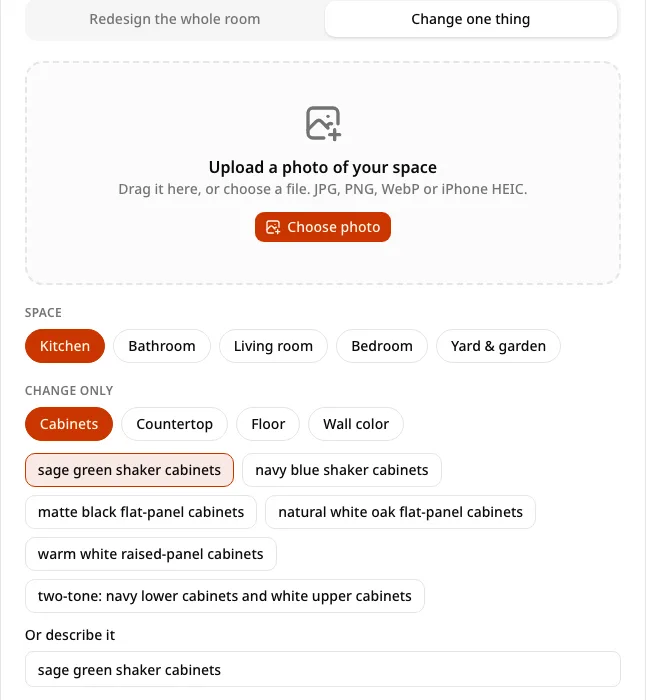
Which cabinet colors can I try?
The presets on the site are:
| Preset | Good for |
|---|---|
| Sage green shaker | Soft color that works with wood floors and white counters |
| Navy blue shaker | A bold but classic look with brass or nickel hardware |
| Matte black flat-panel | Modern kitchens with light counters |
| Natural white oak flat-panel | Warm Scandinavian or Japandi looks |
| Warm white raised-panel | Traditional kitchens and small, darker rooms |
| Two-tone: navy lowers, white uppers | Adding color without darkening the room |
You can also type any color or finish in the "Or describe it" box.
Tips for an accurate cabinet preview
- One change at a time. Keep the counters and floor the same so you are judging only the cabinets.
- Try three colors in a row on the same photo, then compare them side by side.
- Mind the lighting. A photo taken at night under warm bulbs will make every color look warmer.
- Check a real sample. Use the preview to shortlist, then look at a painted sample door in your kitchen before you commit.
Can I change the countertop or floor too?
Yes. Change one thing also covers countertop, floor and wall color, one at a time. When the cabinet color is settled, you can run a full style redesign as well. More detail: Change only kitchen cabinets with AI.
FAQ
Is there a free kitchen cabinet color visualizer?
Yes. AI Kitchen Redesign lets you preview cabinet colors on your own photo for free: two designs with no account, and three more after Google sign-in.
Will it change my countertops or floor?
No. With Change one thing → Cabinets, only the cabinets change. Counters, floor, walls and windows stay as they are.
Can I see two-tone cabinets?
Yes. Pick the two-tone preset (navy lowers, white uppers) or describe your own combination.
How accurate are the colors?
They are a visual preview that depends on your photo's lighting. Confirm with a real paint sample or door before ordering.