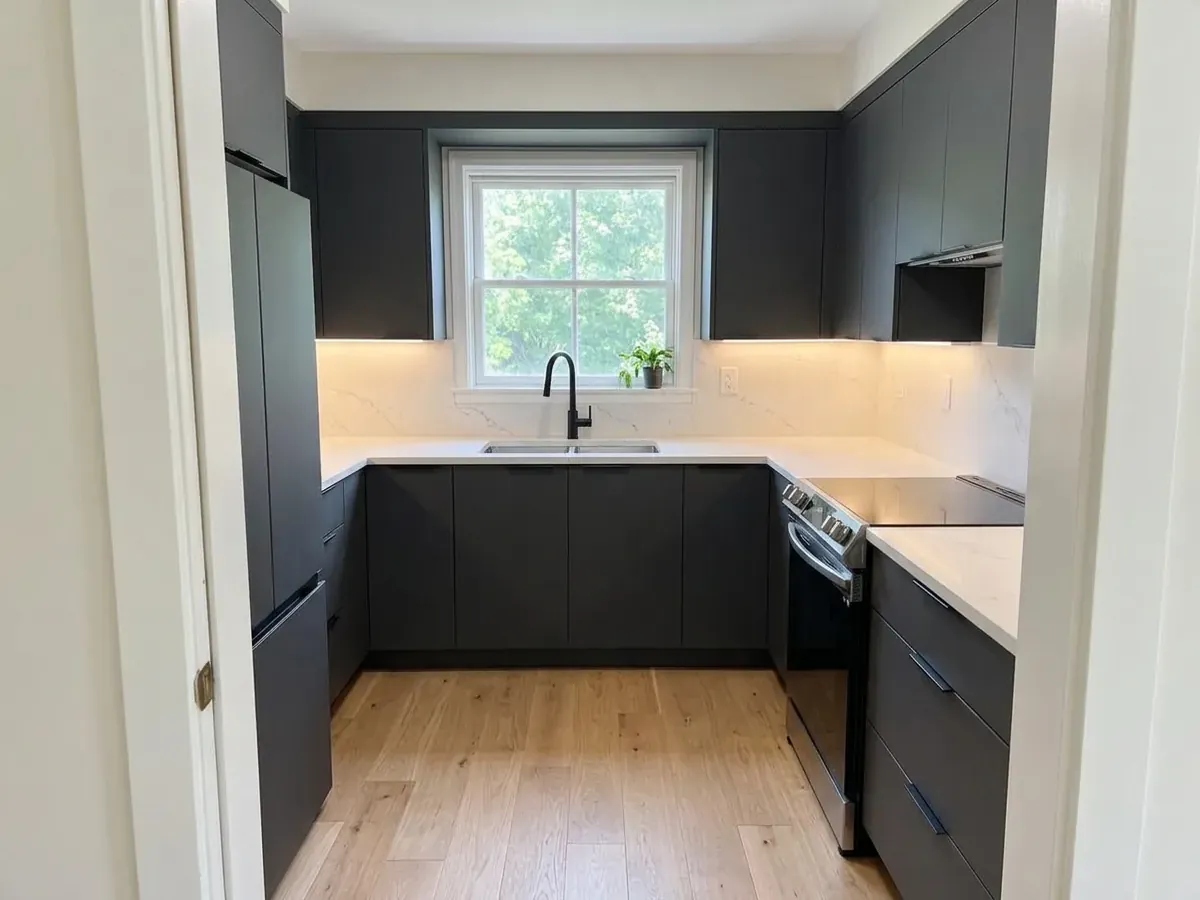
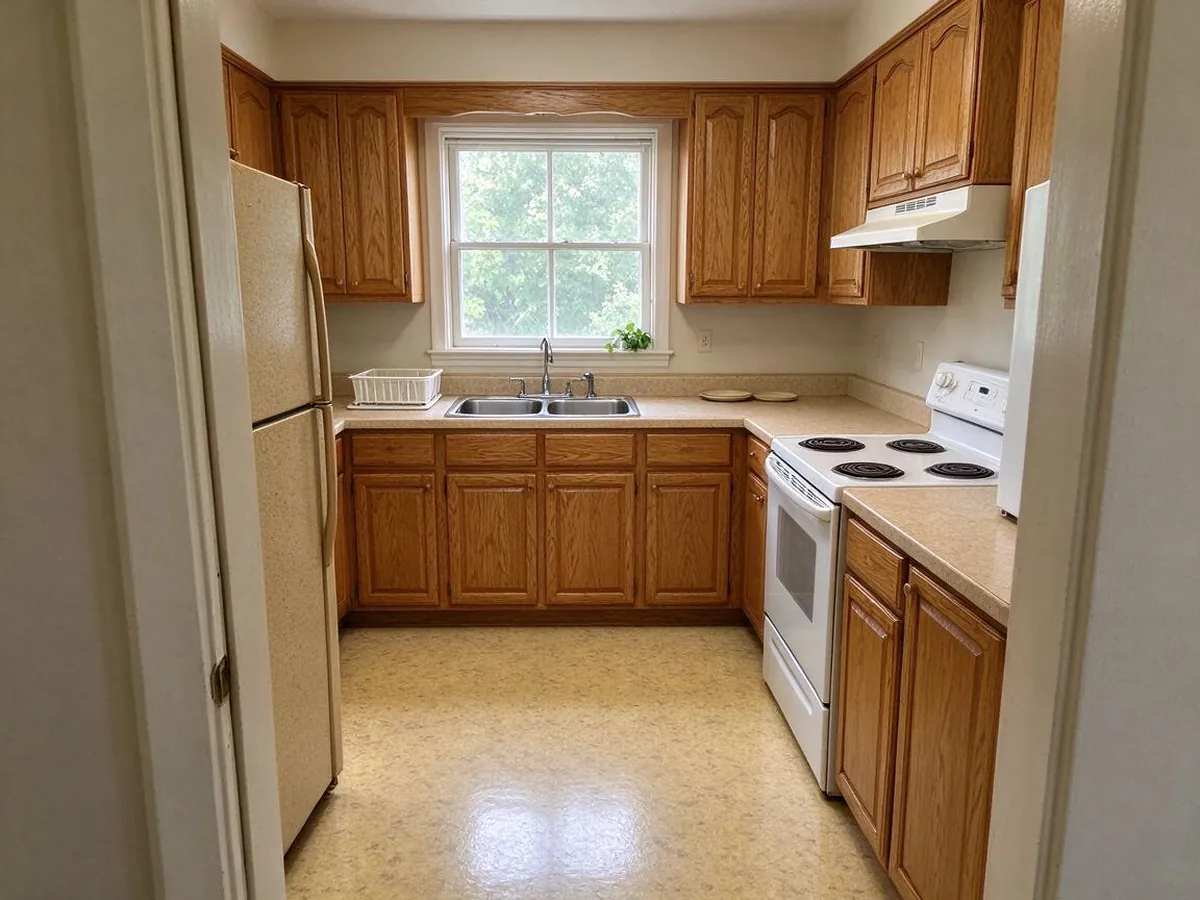
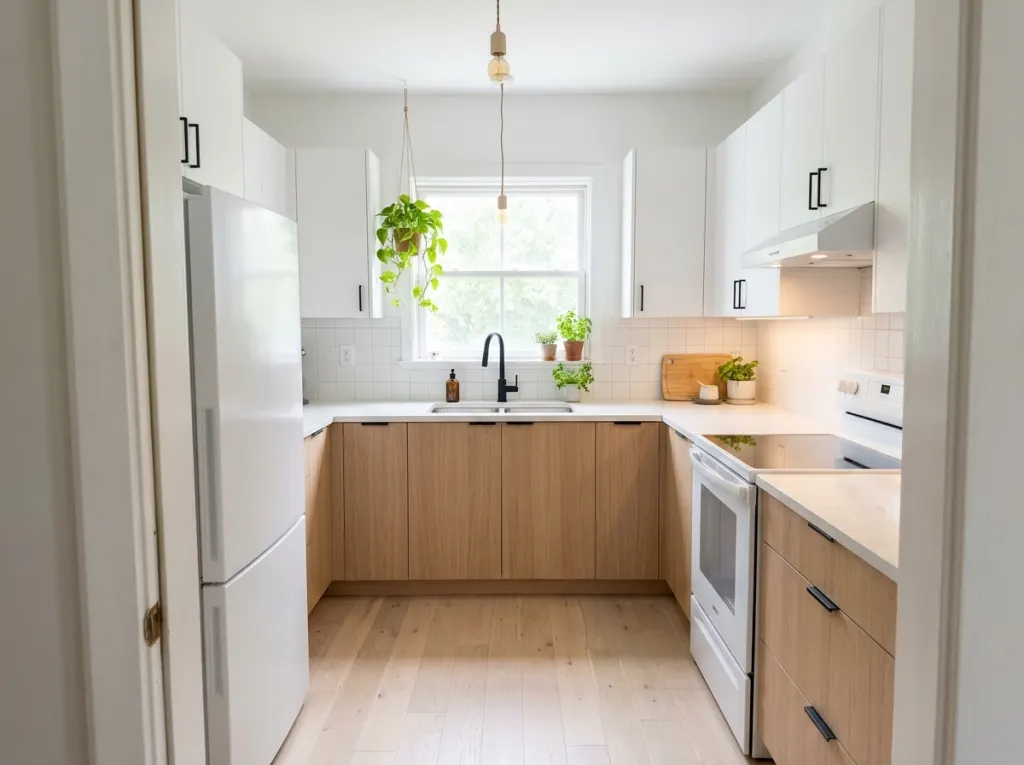
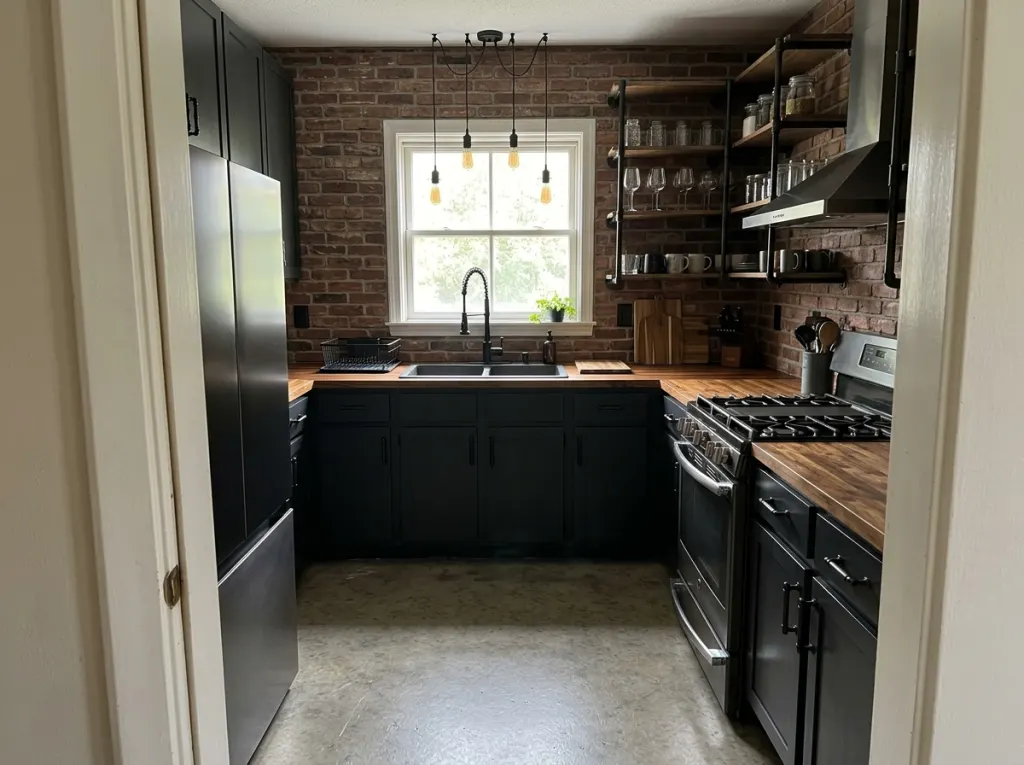
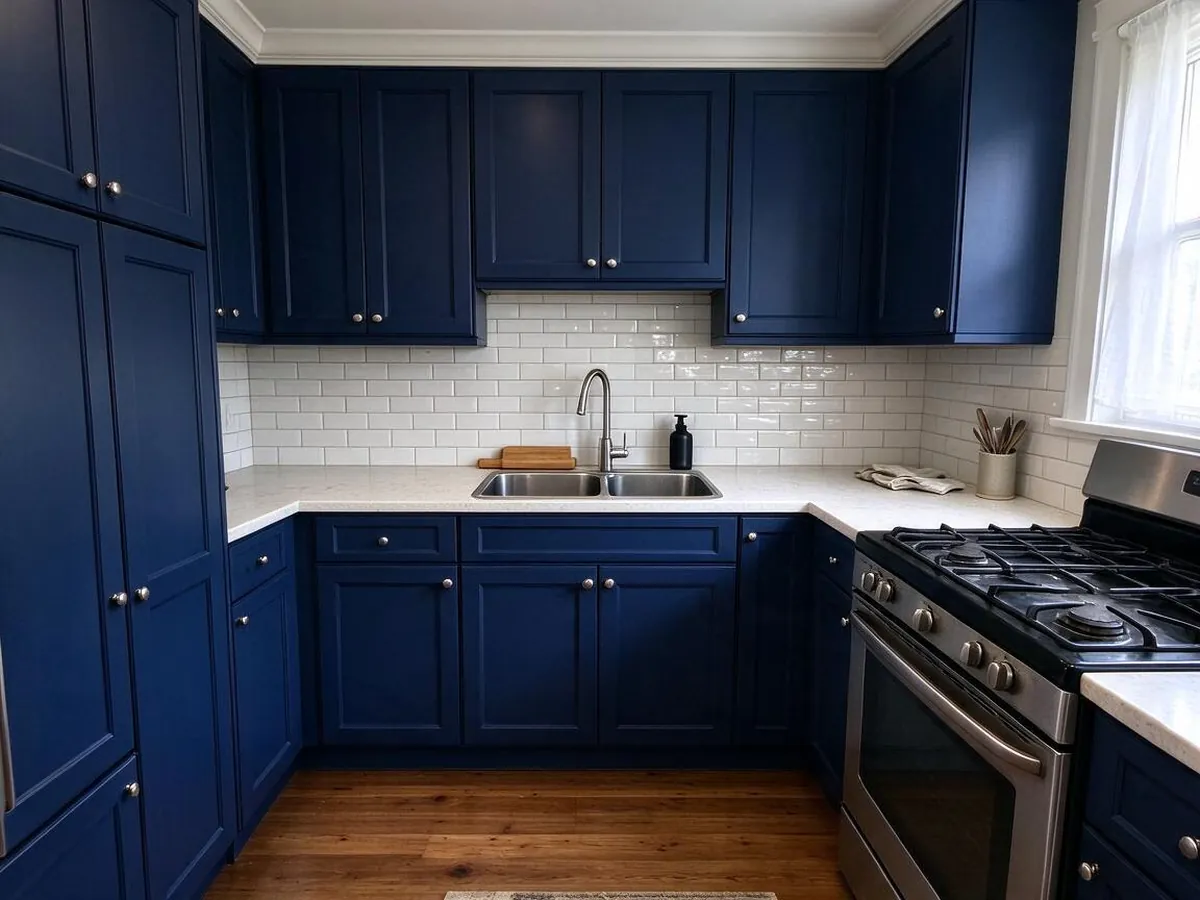
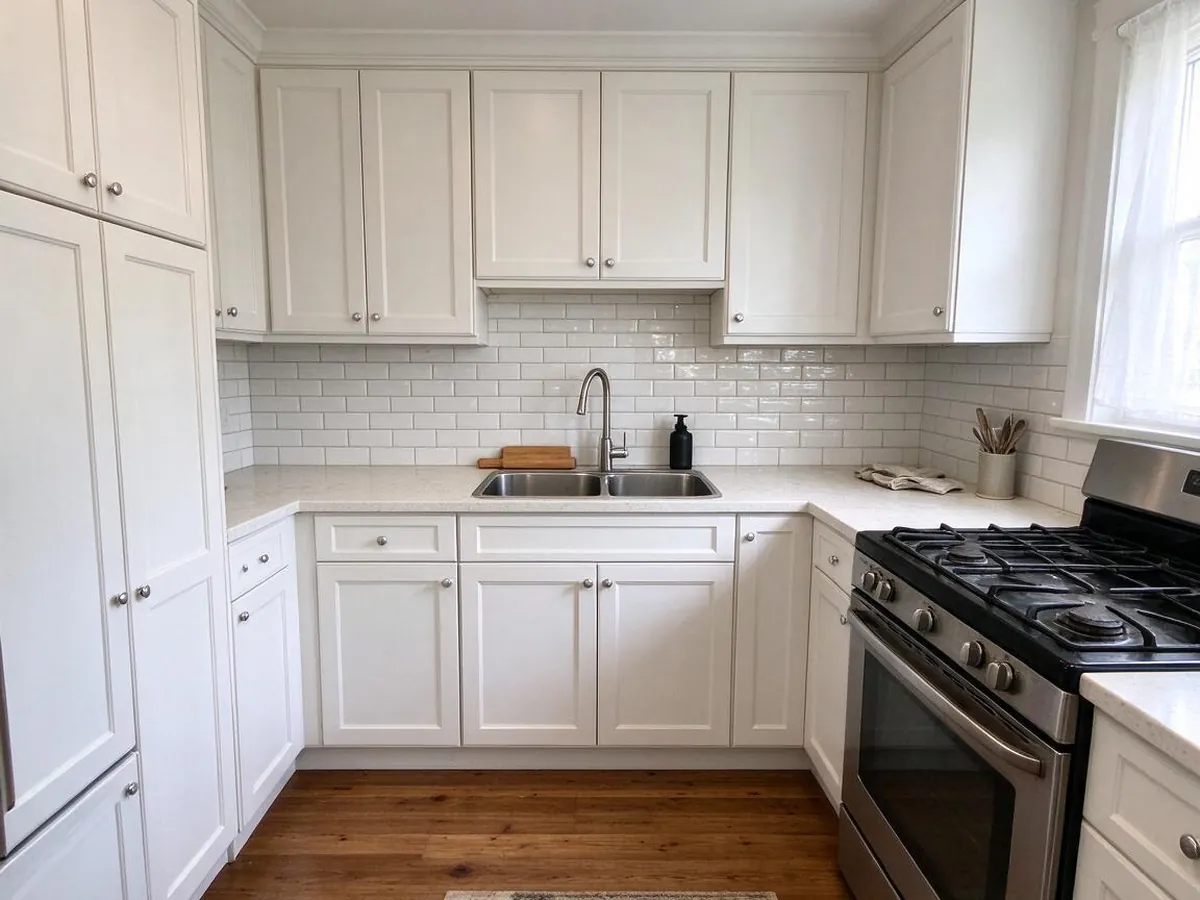
Quick answer: An AI kitchen design tool redraws a photo of your kitchen in a new style, and here you choose from 18 styles and three change levels, then get two variations in about 30 seconds. Your first 3 images are free after Google sign-in with no credit card, and paid plans start at $14 a month for 25 images.
AI kitchen design questions
Is it worth trying AI kitchen design before paying a designer?
In the 2025 U.S. Houzz & Home Study of nearly 22,000 homeowners, the median spend on a major remodel of a small kitchen (under 200 sq ft) was $35,000, and $55,000 for a large kitchen [1]. NerdWallet, citing Hanley Wood data, puts kitchen remodels at around $28,500 for a minor refresh and over $160,000 for a major upscale one [2].
A designer or showroom still has to measure and specify the kitchen. What the AI does is let you arrive with a direction already chosen. Trying several styles on your own photo costs nothing for the first 3 images and $14 a month for 25 images after that.
What does an AI kitchen design tool actually do?
It takes one photo of a real kitchen and draws a new version of the same room. The walls, windows, doors and camera angle are kept, so the result still looks like your kitchen, only with different cabinets, counters, backsplash, floor, paint and lighting.
It does not draw floor plans, measure the room or price materials. Think of it as a fast way to see finishes and colors together on your own space before you buy samples.
Which 18 kitchen styles can I choose from?
Modern, Scandinavian, Japandi, Industrial, Rustic Farmhouse, Minimalist, Coastal and Mid-Century cover the most common looks, from handleless flat panels to warm shaker cabinets.
Traditional, Transitional, Contemporary, Modern Farmhouse, French Country, Mediterranean, English Cottage, Bohemian, Luxury and Art Deco cover the rest. Each style sets a full palette of cabinet door type, counter, metal finish and lights, so you do not need to write a prompt.
If you have a sample you already like, add a material reference photo of the cabinets, tile or counter, and the design will match those finishes.
What is the difference between Light refresh, Remodel and Full redesign?
Light refresh changes paint, cabinet hardware, lights and decor, and keeps the cabinets, counters and floor. It is the level to use if you are only painting or swapping handles.
Remodel puts in new cabinet fronts, counters, backsplash and floor, and keeps the layout and the appliance positions. Full redesign changes everything inside the room. Running the same photo at two levels is a quick way to see how much change you actually want.
Can AI kitchen design change only one part of my kitchen?
Yes. "Change one thing" edits only the cabinets, the countertop, the backsplash, the floor or the wall color, and leaves the rest of the photo as it is. This is the mode to use when the question is narrow, such as whether navy cabinets will look too dark next to your floor.
How do I use it? 3 simple steps
- 1
Upload one kitchen photo
Use a level photo taken from the doorway or a corner, with the cabinets, counter and some floor in frame.
- 2
Choose a style and a change level
This page opens on Full redesign. Switch to Remodel or Light refresh if you want to keep more of the kitchen you have.
- 3
Compare two variations
Drag the before/after slider, keep the version you like, and change one detail at a time until it is settled.
Frequently asked questions
Is this AI kitchen design tool free?
Yes, you can try it without paying. Sign in with Google and you get 3 free redesign images of your own photo, marked with a small watermark. No credit card is needed. It is one time and does not refresh every day. Beyond that, plans start at $14 a month for 25 images (or $144 a year), with no watermark, and you can cancel anytime from the billing page.
Which change level should I start with?
Start with the level that matches your budget. If you are only painting and changing handles, use Light refresh. If new cabinet fronts and counters are on the table, use Remodel. Use Full redesign to explore a completely new look.
Do I need to write a prompt?
No. Styles, change levels and materials are one click. You can add a short note if you want something specific, such as "brass pendant lights over the island".
Will it keep my layout, walls and windows?
That is the whole point. Every request tells the AI to keep the original layout, walls, windows, doors and camera angle, and to change only surfaces, colors, fixtures and furniture. AI is not perfect, so we back it up: if a result moves a wall or window, tap "AI moved my walls or windows" under the image. We refund that image right away and redo it with stricter rules.
How is this different from asking ChatGPT or Gemini?
General chat tools can edit photos, but you have to write long prompts and they often shift windows, change the camera angle or invent a different room. Here the layout rules are built in, styles and materials are one click, you get two options side by side with a before-and-after slider, and you can keep editing one detail at a time. If it does drift, you get the image back.
Can I use the images for my business?
Every paid plan (Mini, Personal and Premium) allows commercial use, so designers, contractors and real estate agents can use the images in proposals, listings and marketing. Premium also unlocks sharp 2K downloads. The free images are for personal use, such as planning your own remodel and sharing ideas with your family or your contractor.