How to get kitchen remodel ideas with AI
Short answer: To get useful remodel ideas from AI, start wide by running the same photo of your kitchen through three or four very different styles (for example Japandi, Modern Farmhouse and Art Deco), note which elements you keep liking, then narrow down by changing one element at a time, such as cabinets in sage green versus navy. This turns a pile of pretty pictures into a short list of decisions about your own room.
What to know
Go wide before going narrow
People often only try the style they think they want. Running a style you would never pick sometimes reveals one element, like a darker floor or open shelves, that fits your kitchen better.
Write down what repeats
If every result you save has warm wood and a light counter, that is your direction, regardless of style name. Keep a short list: cabinet color, counter, backsplash, floor, hardware.
Then test one change at a time
Use 'change one thing' to swap only the cabinets, then only the backsplash. Holding everything else fixed shows what each choice really does to the room.
Match the change level to your budget
Light refresh ideas (paint, hardware, lights) cost far less to build than a full redesign. Generating ideas at the level you can afford avoids falling for a kitchen you will not build.
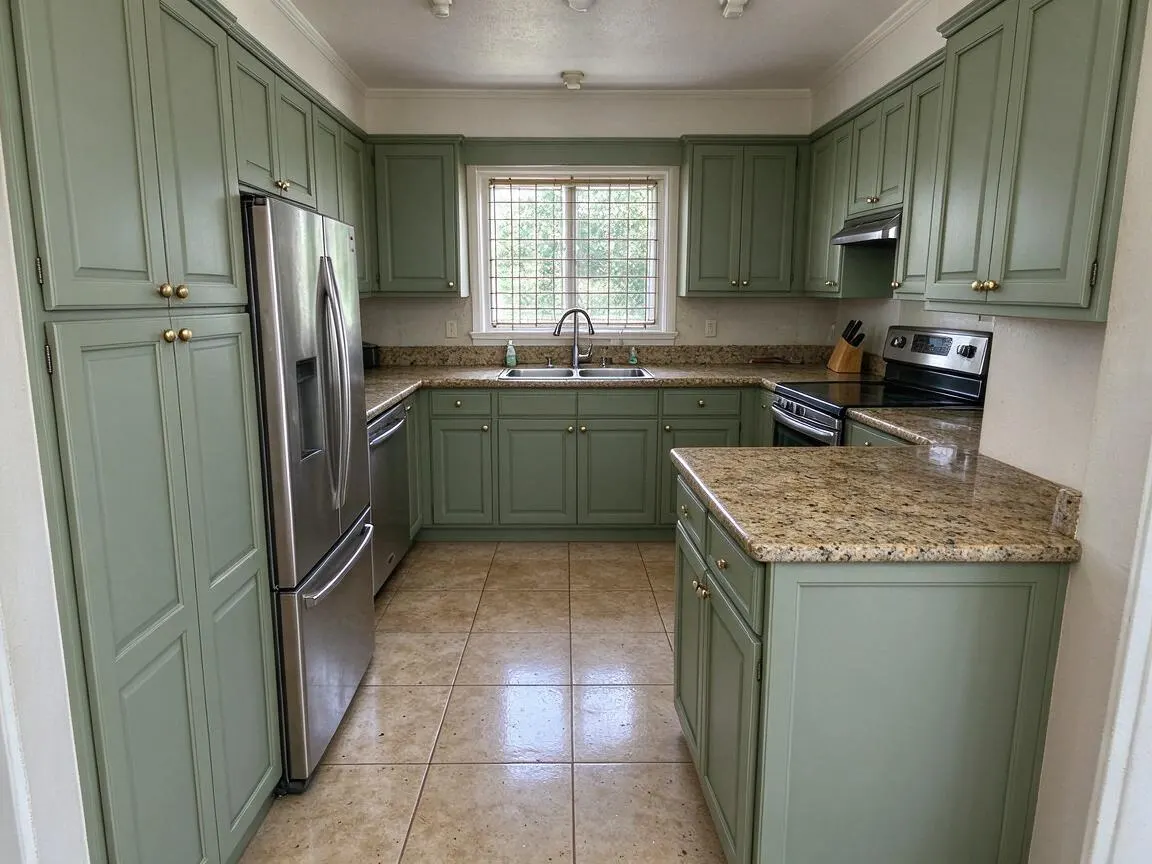
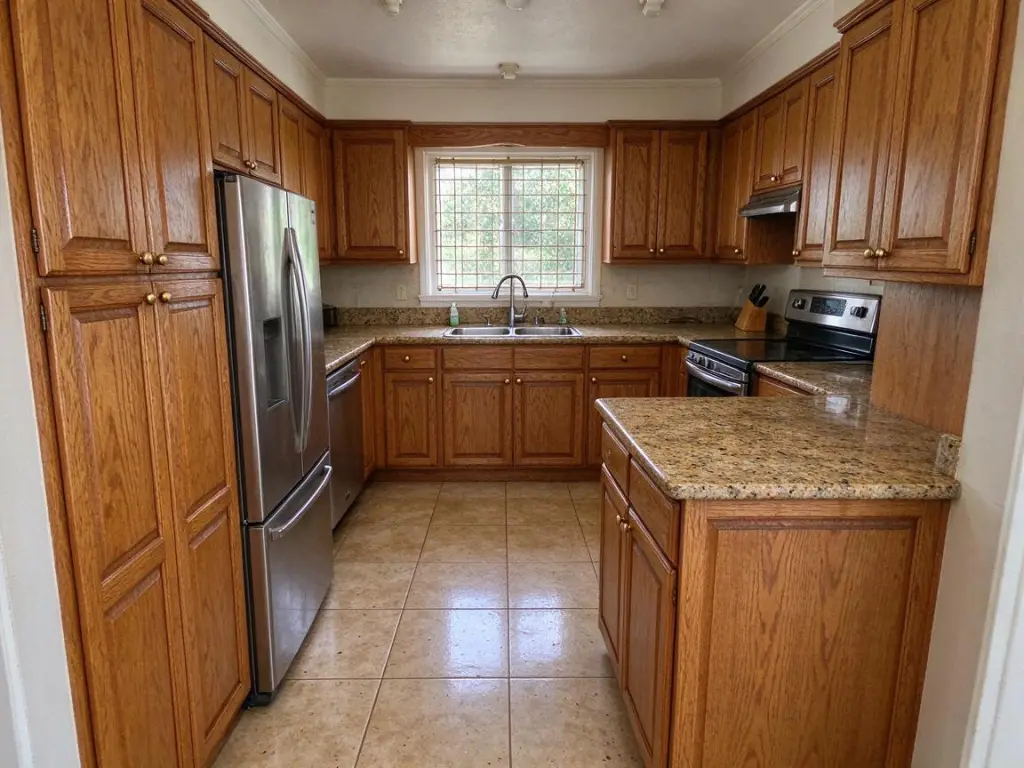 BeforeAfter
From ideas to a plan
Once a combination holds up across a few runs, check it in reality: order samples of the cabinet paint and countertop, and look at them in your kitchen in morning and evening light. AI images and screens both shift color, so the sample is the final word.
Then price it. The free kitchen remodel cost calculator and the flooring, backsplash tile and cabinet painting calculators on this site show what drives cost, with no sign-in. If the idea involves moving the sink or range, that is plumbing and electrical work for a contractor; AI restyling does not move either.
Keep the before-and-after images. They are a quick way to show a contractor or partner what you mean by 'warm modern' or 'light and simple'.
How to see it on your own kitchen
- Take a straight photo of your kitchen in daylight from the doorway or a corner, then upload it below (iPhone photos work as they are).
- Keep the "Full redesign" level selected and choose a style. Optionally add a photo of a cabinet or tile you like as a material reference.
- Sign in with Google: the first 3 images are free, no credit card. Plans start at $14 a month for 25 images.
- In about 30 seconds you get two variations that keep your walls and windows. Drag the slider to compare before and after, then download the one you like or keep editing one detail at a time.