What backsplash goes with cherry cabinets?
Short answer: Cherry cabinets are a deep red-brown, so creamy white, warm beige, soft green and light stone tones calm the red, while white subway gives the cleanest contrast. Avoid red, orange or pink-toned tile, which adds to the red in the wood.
What to know
Work against the red, not with it
Cherry darkens and reddens with age. Tile with red or rust in it, including many travertine and slate blends, makes the room read even redder.
Lighten the room
Cherry is dark, and many cherry kitchens are galleys. A light glossy tile reflects light along the counter and makes the narrow space feel wider.
Green is the complementary color
A muted sage or gray-green sits opposite red on the color wheel and balances cherry without looking like an odd accent.
Plan around the granite
Cherry is often paired with speckled granite. With a busy counter, keep the backsplash one solid color in the lightest tone of the stone.
Light the counter run
In cherry galleys the backsplash sits in the shadow of dark upper cabinets. Under-cabinet lighting makes a light tile do its job, and oil-rubbed bronze or brass hardware suits the wood.
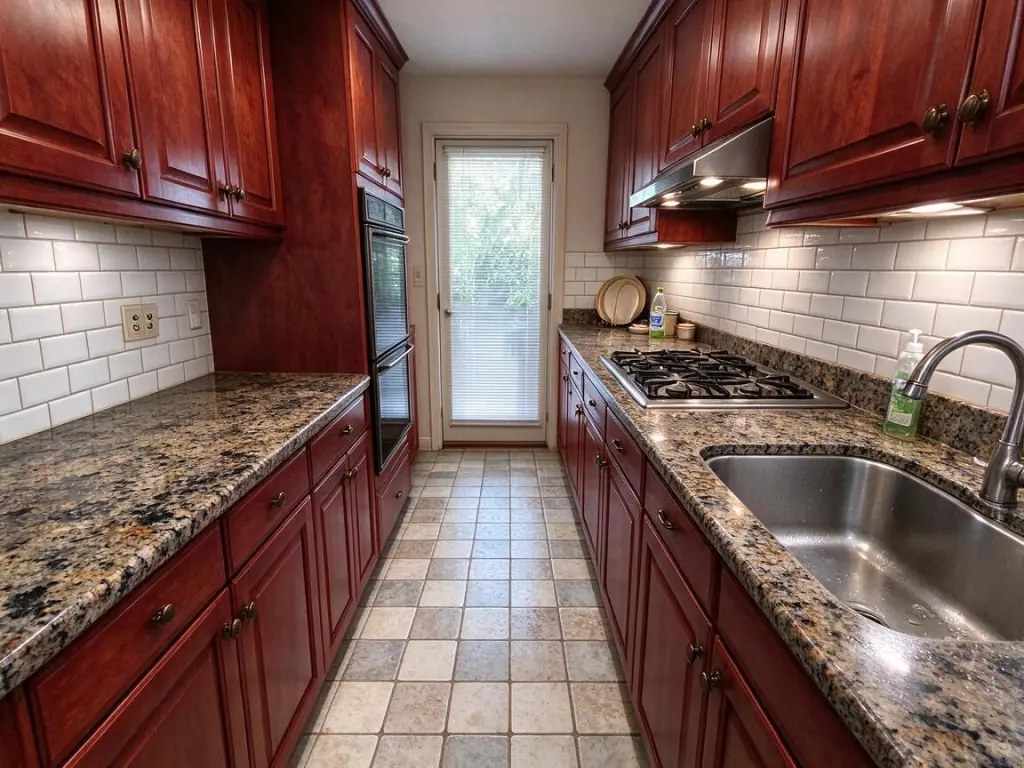
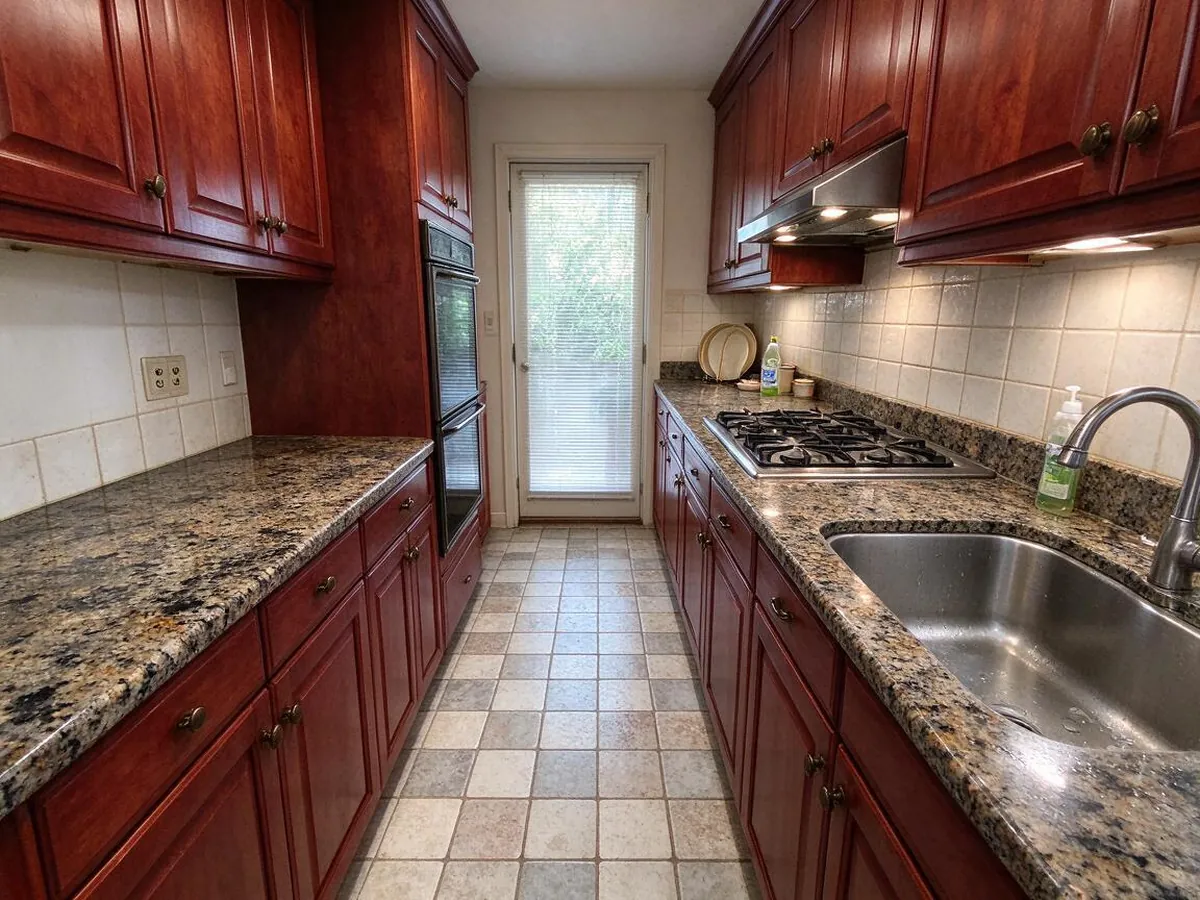 BeforeAfter
Updating a cherry kitchen with only the backsplash
Cherry cabinets are usually solid wood and in good condition, so many owners keep them. Swapping a dated tile for a clean white or cream subway is one of the lowest-effort ways to make the room look newer.
Run the tile from the counter to the bottom of the upper cabinets with no decorative border. Borders and listello strips are common in older cherry kitchens and make the wall look busy.
If you want something less plain, a cream handmade tile or a soft green gives the wall depth while still letting the cherry be the main warm element.
For a more traditional look, white marble or a cream crackle-glaze tile suits raised-panel cherry doors better than a modern vertical stacked layout.
How to see it on your own kitchen
- Take a straight photo of your kitchen in daylight from the doorway or a corner, then upload it below (iPhone photos work as they are).
- The tool opens on "Change one thing" with backsplash selected. Pick a preset or type the exact backsplash you have in mind.
- Sign in with Google: the first 3 images are free, no credit card. Plans start at $14 a month for 25 images.
- In about 30 seconds you get the same kitchen with only the backsplash changed. Drag the slider to compare before and after, then download the one you like or keep editing one detail at a time.