What backsplash goes with granite countertops?
Short answer: The safest backsplash for granite is a plain tile in one of the lighter colors already in the stone, such as cream, warm white or soft gray, laid in a simple shape like 3x6 subway or a small square. Granite already brings the pattern, so the backsplash should bring calm rather than a second pattern.
What to know
Pull a color from the slab
Hold tile samples flat on the granite and pick the lightest or middle tone in the flecks. Matching the darkest fleck usually makes the wall heavy and the kitchen darker.
Only one pattern on the counter run
Speckled or veined granite next to a mosaic, a patterned cement tile or a multicolor glass blend makes both surfaces look busy. If you want interest, get it from the tile surface (gloss, handmade edges) instead of from color variation.
Match the undertone, not just the color
Granites are either warm (gold, tan, rose flecks) or cool (gray, black, blue flecks). Bright white tile can look stark next to warm granite, while cream or almond sits more naturally beside it.
Decide about the short granite strip
Many granite installs come with a 4 in granite backsplash. You can tile above it, but removing it gives a cleaner single run of tile from counter to cabinet.
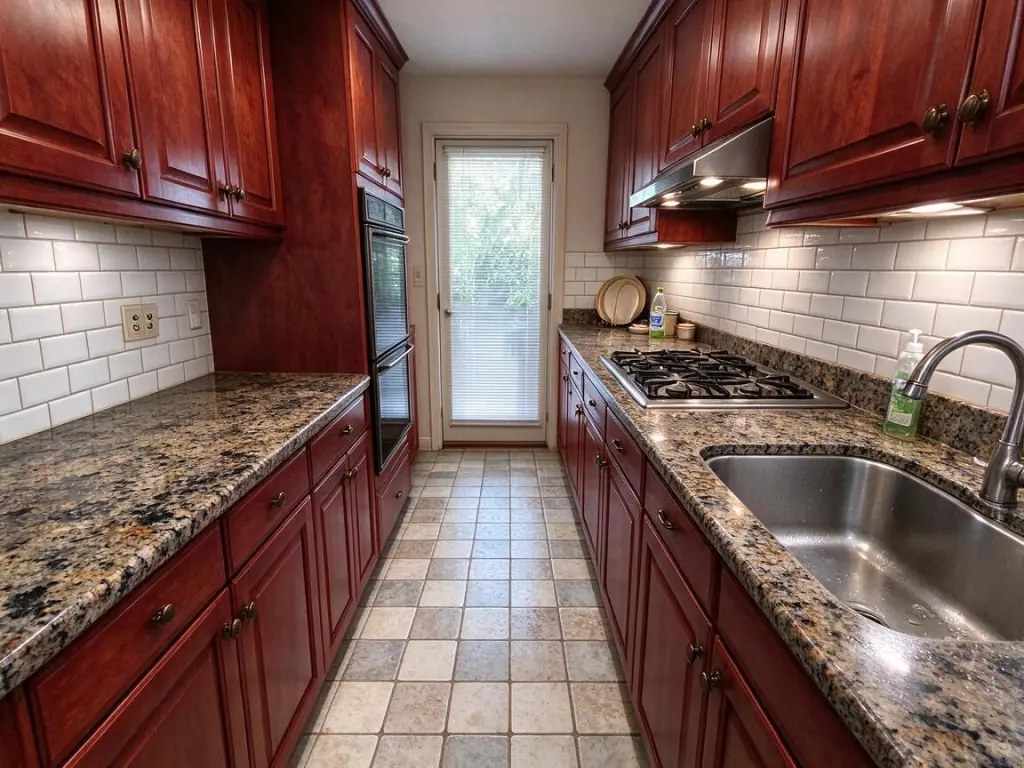
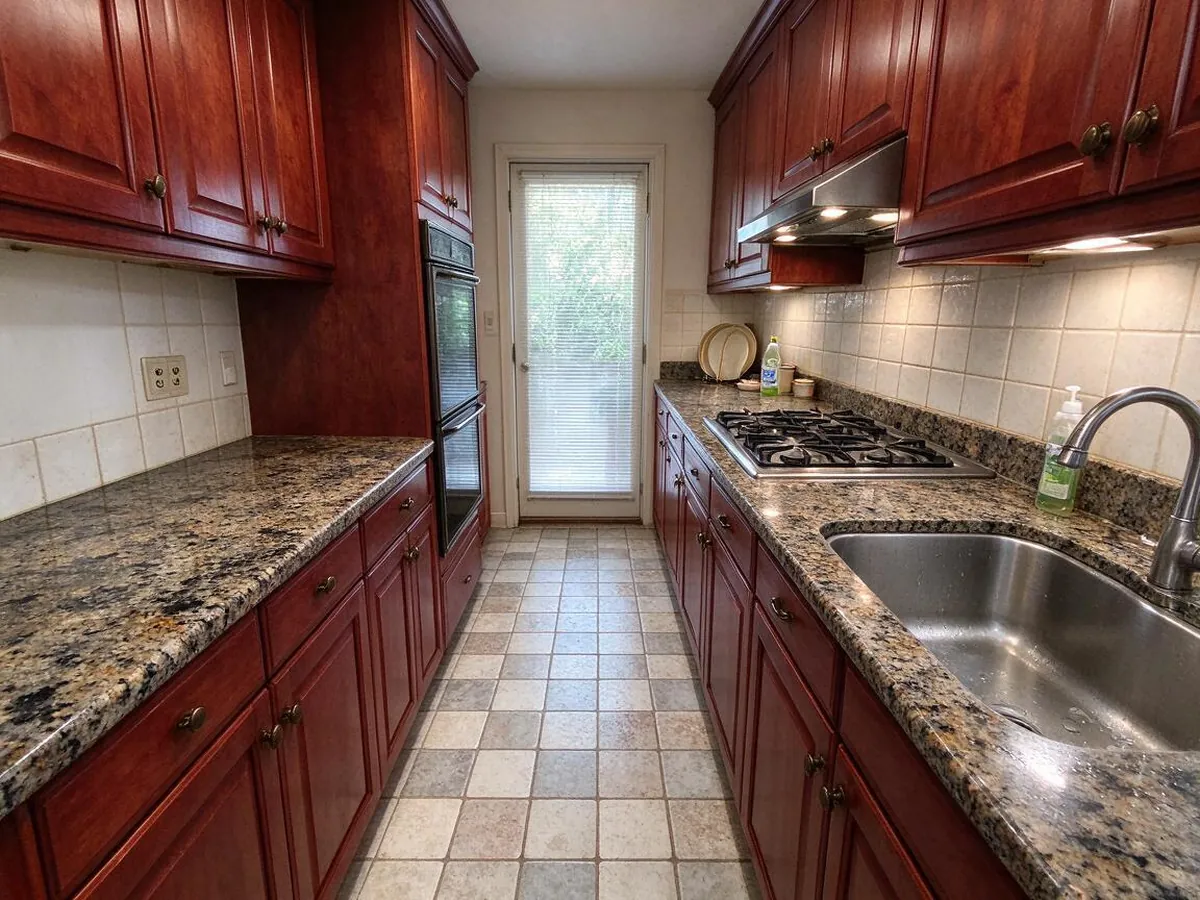 BeforeAfter
Busy granite versus quiet granite
Busy granites, the ones with large speckles in several colors, need a solid backsplash. A one-color subway, a square handmade tile or a plain painted wall all work, and grout should match the tile so it does not draw a grid across the wall.
Quiet granites, such as a uniform black or an even fine-grained gray, leave room for more. Here you can use herringbone, a glossy zellige, a marble-look tile or a pale color, because the counter is not competing for attention.
If you cannot decide which group your granite falls into, take a photo of the counter from normal standing distance. If the pattern still reads clearly at that distance, treat it as busy.
How to see it on your own kitchen
- Take a straight photo of your kitchen in daylight from the doorway or a corner, then upload it below (iPhone photos work as they are).
- The tool opens on "Change one thing" with backsplash selected. Pick a preset or type the exact backsplash you have in mind.
- Sign in with Google: the first 3 images are free, no credit card. Plans start at $14 a month for 25 images.
- In about 30 seconds you get the same kitchen with only the backsplash changed. Drag the slider to compare before and after, then download the one you like or keep editing one detail at a time.