What cabinet color goes with light wood floors?
Short answer: Light wood floors like white oak, natural oak or maple are the most flexible base, so charcoal, black, navy, deep green, sage and white cabinets all work on them. The one thing to be careful with is wood cabinets close to the floor tone; choose a wood that is clearly darker, like walnut, or paint the cabinets instead.
What to know
Dark cabinets look anchored
Charcoal or black flat-panel cabinets on a pale oak floor give a clean modern contrast without making the room dark, because the floor reflects light.
White on light wood is airy
White cabinets with light oak floors read Scandinavian. Add black or brass hardware so the kitchen has some definition.
Same-wood problems
Light oak cabinets on a light oak floor can work if the grain and color match closely. If they are slightly different, the mismatch is obvious.
Orange-toned floors need care
Older light floors with a yellow or orange finish suit cream, green and navy better than cool gray or blue-white.
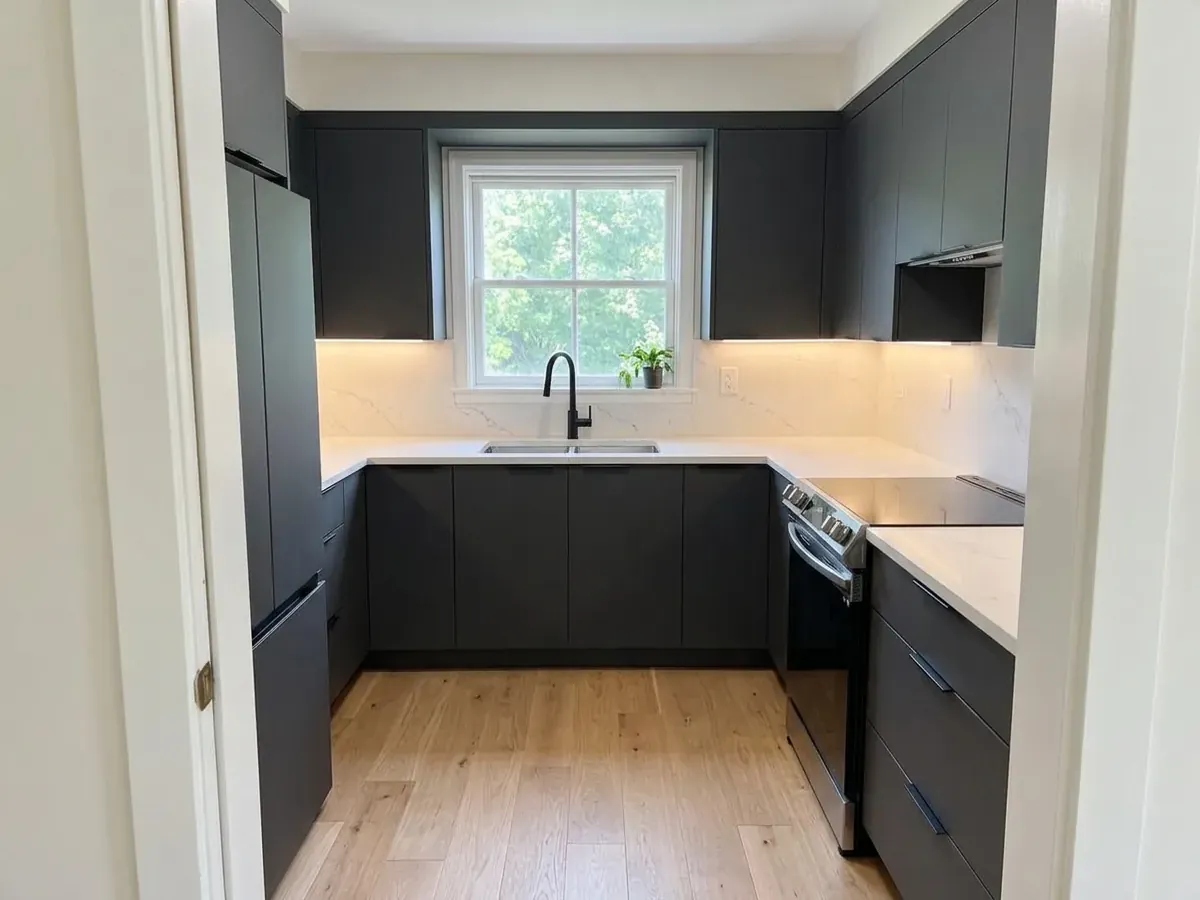
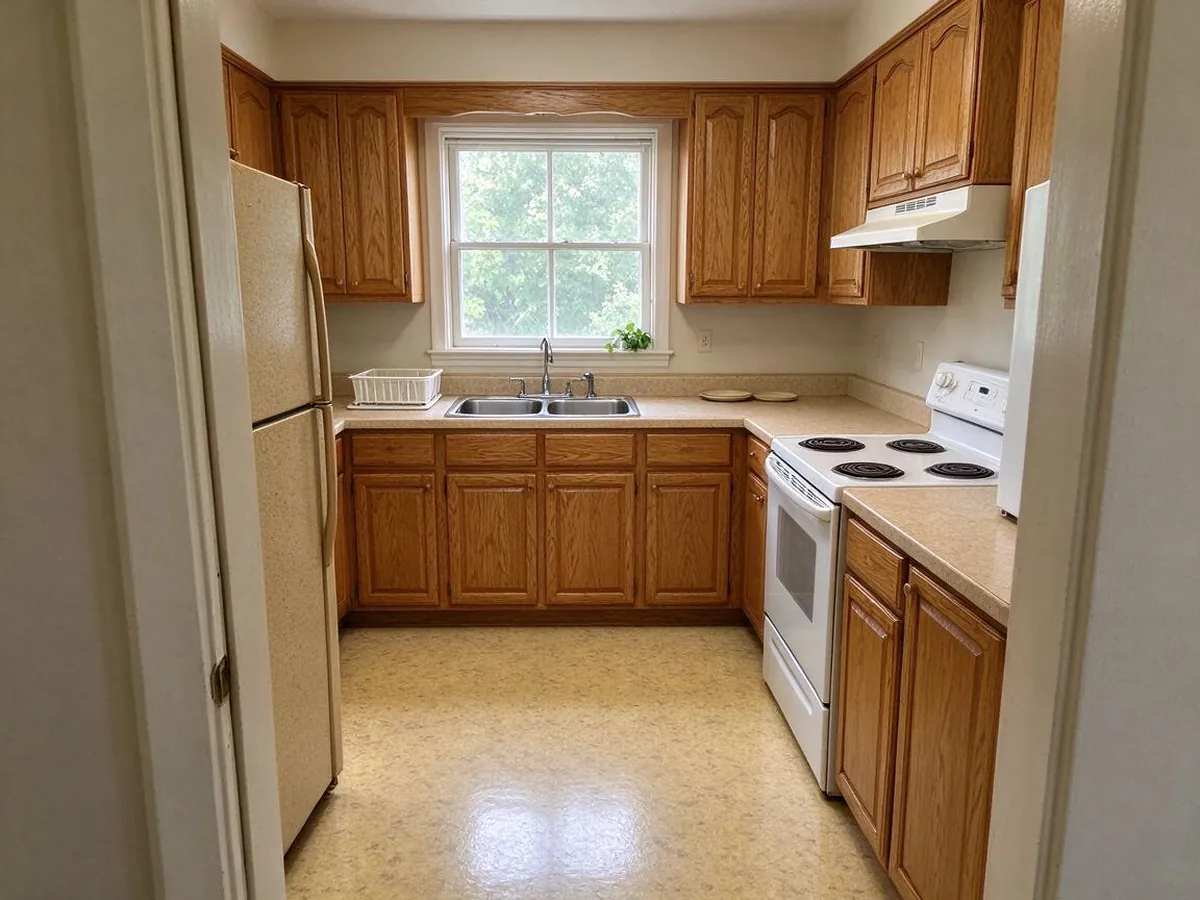 BeforeAfter
Using the light floor to go bolder on cabinets
A light floor gives you room to choose a stronger cabinet color than you could with a dark floor. Deep green, navy and charcoal all keep enough light in the room because the floor bounces it back.
If you prefer a soft kitchen, white or cream cabinets with a light floor and a warm white counter give an open, simple look. In that case, use texture in the backsplash (zellige, handmade tile) so the room does not look flat.
Two-tone works well here too: wood lower cabinets in a darker tone than the floor and white uppers, or painted lowers and open wood shelves above.
Think about the counter last. A white or light quartz suits nearly every cabinet color on light wood. A dark counter with dark cabinets on a light floor gives a strong two-band look that suits modern kitchens; with white cabinets, a butcher block or warm stone counter keeps the room from going too pale.
How to see it on your own kitchen
- Take a straight photo of your kitchen in daylight from the doorway or a corner, then upload it below (iPhone photos work as they are).
- The tool opens on "Change one thing" with cabinets selected. Pick a preset or type the exact cabinets you have in mind.
- Sign in with Google: the first 3 images are free, no credit card. Plans start at $14 a month for 25 images.
- In about 30 seconds you get the same kitchen with only the cabinets changed. Drag the slider to compare before and after, then download the one you like or keep editing one detail at a time.