How can I see a backsplash in my kitchen before buying?
Short answer: Take a straight-on photo of your kitchen and upload it to a photo-based visualizer set to change only the backsplash; describe the tile or add a photo of it, and the AI keeps your cabinets, counters and camera angle while showing the new backsplash in about 30 seconds. Then check your favorite against real samples in your own light, and use the free backsplash tile calculator to work out how much tile to order.
What to know
Take a usable photo
Stand back far enough to see counters, upper cabinets and the full backsplash wall. Shoot in daylight with lights on, and keep the phone level so lines stay straight.
Use a reference photo of the tile
Descriptions like green zellige are a start, but a photo of the exact tile from a store or website gives a closer match in color and shape.
Compare options side by side
Try two or three directions, for example white subway, a colored zellige and a slab, on the same photo. Seeing them on your own cabinets usually rules one out quickly.
Then order real samples
A rendered image cannot show exact glaze, sheen or how the tile looks at night. Tape two or three samples to the wall and check them morning and evening before ordering.
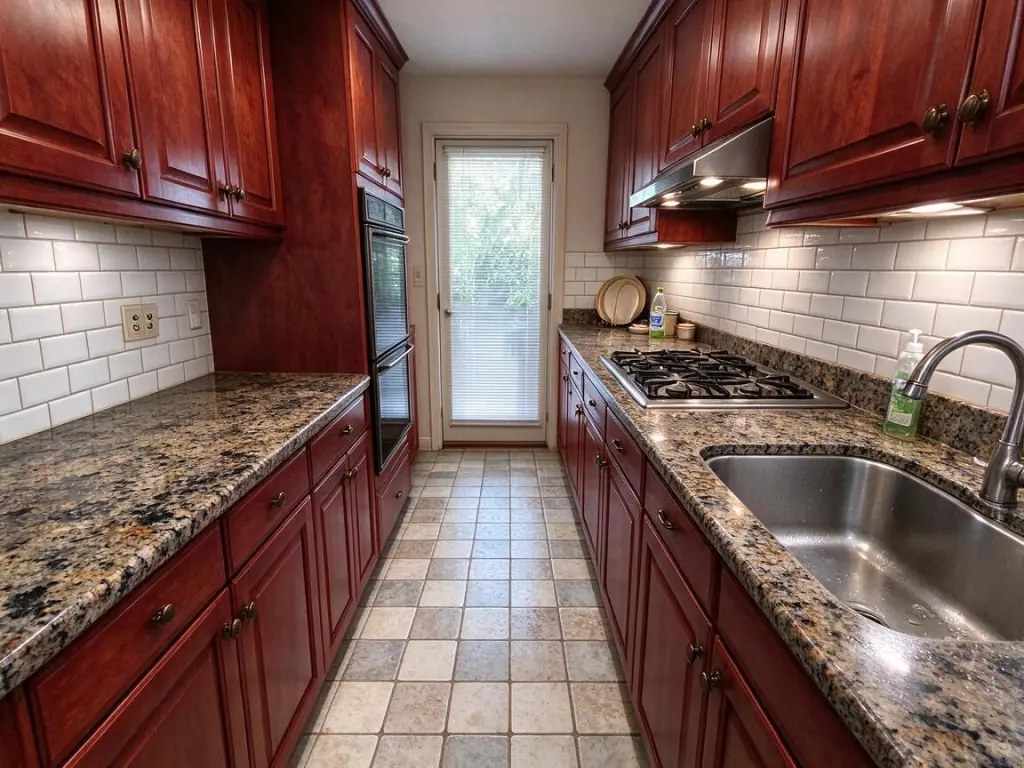
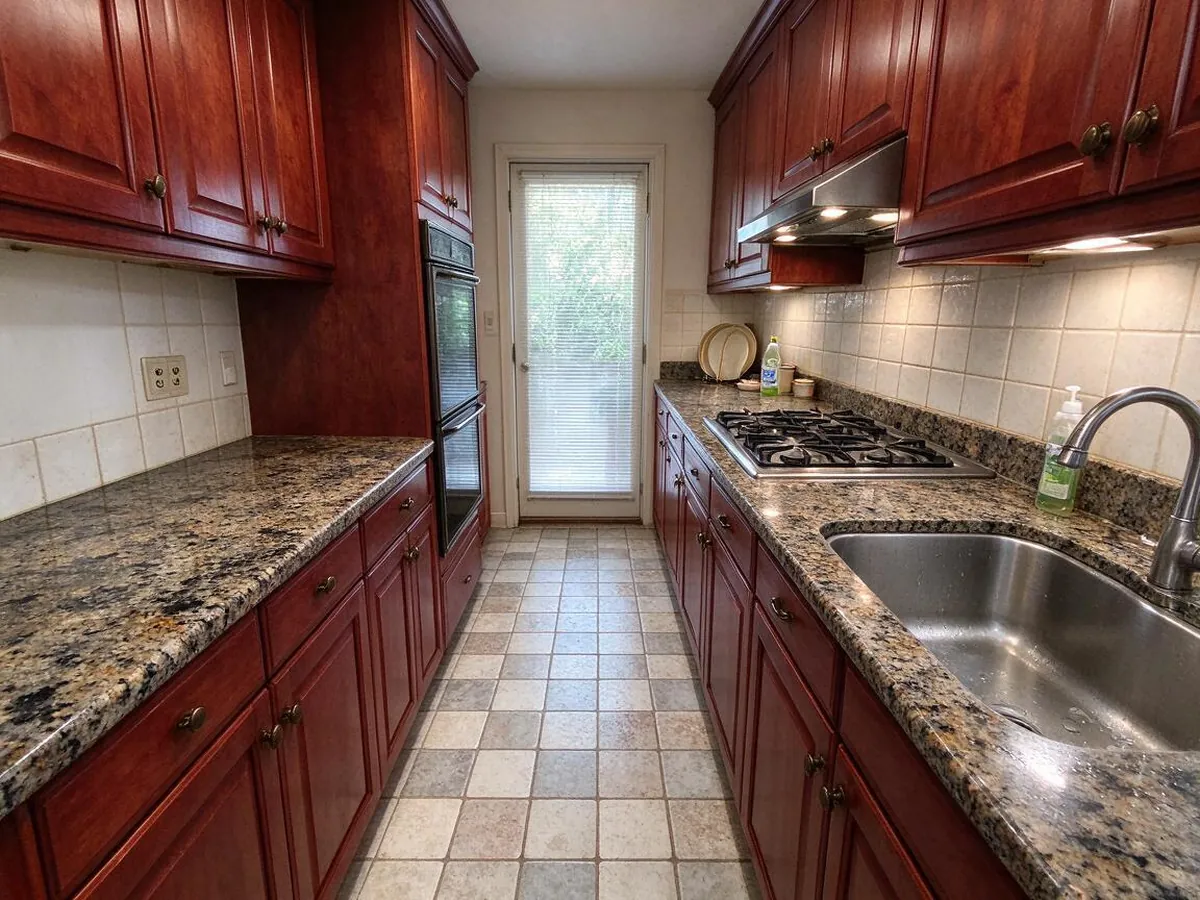 BeforeAfter
What a visualizer can and cannot tell you
Seeing tile on a photo of your own kitchen answers the color and pattern questions: does the green suit the oak, does the marble fight the granite, does herringbone look busy. That is the step most people skip and later regret.
It does not measure your wall or plan the layout. For quantity, measure the wall area and use the backsplash tile calculator, which adds a waste allowance, then confirm cuts around outlets and windows with your tiler.
Other ways to preview include placing a large sample board on the counter, taping paper cut to the tile size on the wall, or asking a showroom for a loose sample sheet to hold against your cabinets.
How to see it on your own kitchen
- Take a straight photo of your kitchen in daylight from the doorway or a corner, then upload it below (iPhone photos work as they are).
- The tool opens on "Change one thing" with backsplash selected. Pick a preset or type the exact backsplash you have in mind.
- Sign in with Google: the first 3 images are free, no credit card. Plans start at $14 a month for 25 images.
- In about 30 seconds you get the same kitchen with only the backsplash changed. Drag the slider to compare before and after, then download the one you like or keep editing one detail at a time.