Should I paint oak cabinets or keep the wood?
Short answer: Keep the oak if the finish is in good shape and the problem is mostly orange or yellow tone, because new hardware, a white or green backsplash, and a cooler counter can make it look current. Paint it if the finish is worn, the doors are dated raised panels, or the oak makes the whole kitchen orange and you are not changing counters or floor.
What to know
Painting oak is permanent
Once painted, oak is hard to strip back to wood. If you are unsure, try the surrounding changes first.
The orange comes from old finish
Honey oak is often aged amber varnish. Cleaning and a fresh clear coat or toner can shift it less orange without paint.
Change what sits next to it
Gray tile, beige counters and yellow walls make oak look more orange. White walls, a crisp backsplash and black or brass hardware make it look intentional.
Grain shows through paint
Oak has open grain that shows through paint unless you fill it. Decide if visible texture is acceptable before you start.
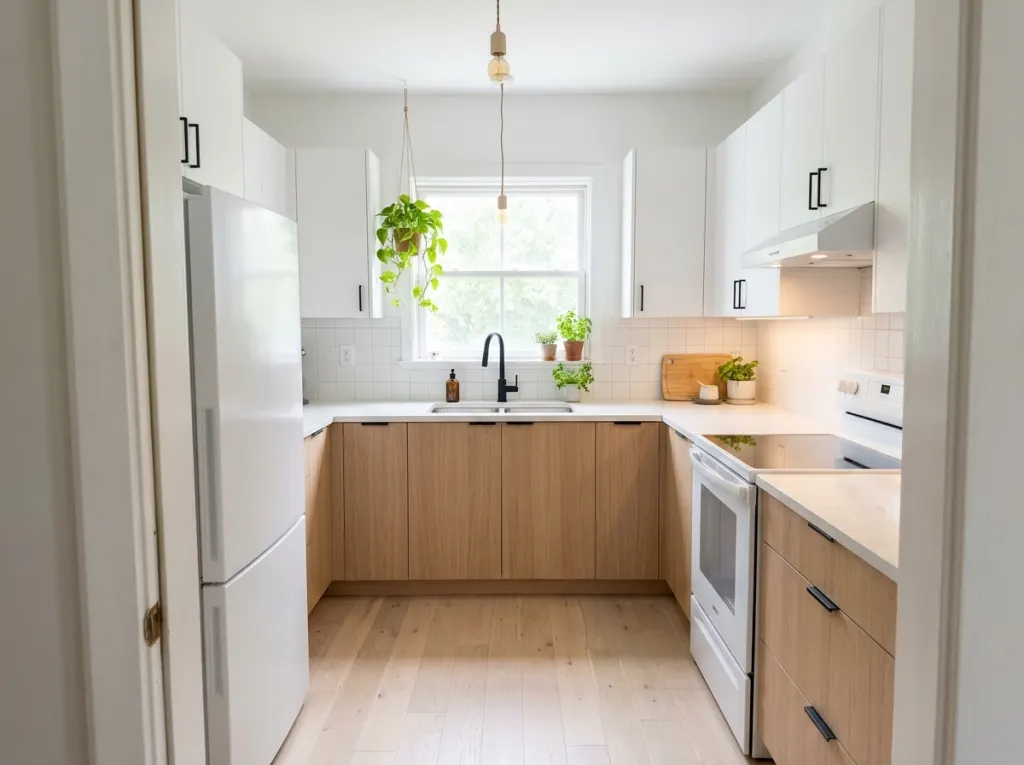
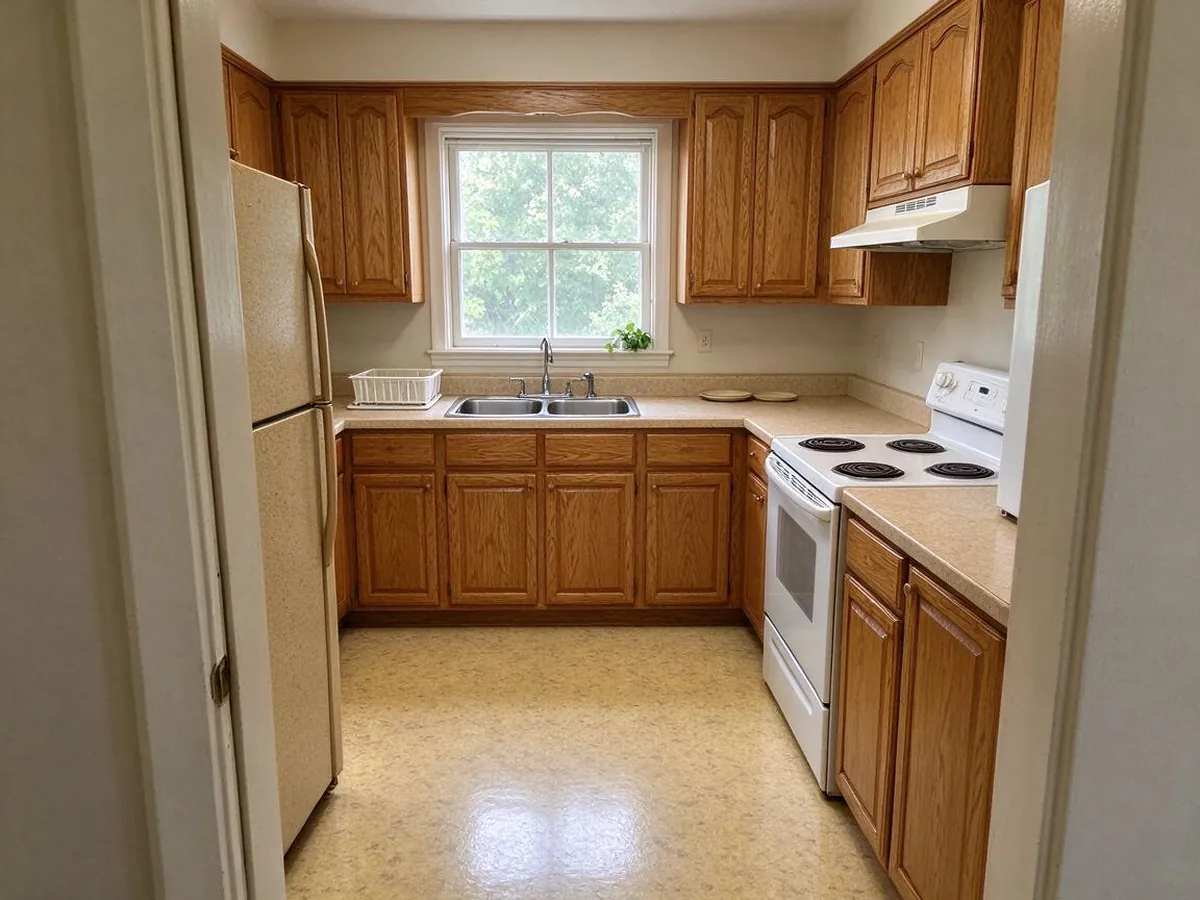 BeforeAfter
A middle route: paint some, keep some
Painting the upper cabinets white or cream and keeping the oak lowers or island turns the wood into a feature. The kitchen becomes lighter at eye level while still having warmth.
You can also paint the perimeter cabinets and keep an oak island, which is a common two-tone layout and fits older kitchens where the island is the newest piece.
Whichever way you lean, compare the full painted version, a two-tone version and the oak with a new backsplash on photos of your own kitchen before buying paint.
If you paint oak, the prep is what makes it last: degrease thoroughly, scuff sand, fill the grain if you want smooth doors, and use a stain-blocking primer so tannins do not bleed through light colors. The cabinet painting calculator at /cabinet-painting-calculator helps you estimate paint and time from your door count.
How to see it on your own kitchen
- Take a straight photo of your kitchen in daylight from the doorway or a corner, then upload it below (iPhone photos work as they are).
- The tool opens on "Change one thing" with cabinets selected. Pick a preset or type the exact cabinets you have in mind.
- Sign in with Google: the first 3 images are free, no credit card. Plans start at $14 a month for 25 images.
- In about 30 seconds you get the same kitchen with only the cabinets changed. Drag the slider to compare before and after, then download the one you like or keep editing one detail at a time.