Do oak cabinets look good with black hardware?
Short answer: Yes, matte black hardware is one of the cheapest ways to make oak cabinets look newer, because the dark contrast sharpens the door outlines and pulls attention away from the orange tone of older oak. Slim bar pulls look the most modern; black cup pulls and knobs suit a farmhouse look; and repeating black in the faucet or light fixtures makes the change look planned.
What to know
Black calms orange oak
Old brass or white ceramic knobs blend into honey oak. Black creates a clear accent so the wood reads warmer and less orange by comparison.
Size it to the door
Raised-panel oak doors suit simple knobs or 3 to 5 in pulls. Long bar pulls on raised panels can look forced; they suit flat or shaker oak doors.
Check old screw holes
If your old pulls had two holes, pick new pulls with the same hole spacing, or a backplate to cover the old holes, to avoid patching wood.
Add black once more
A black faucet, pendant or window frame tells the eye the black is a scheme, not a one-off.
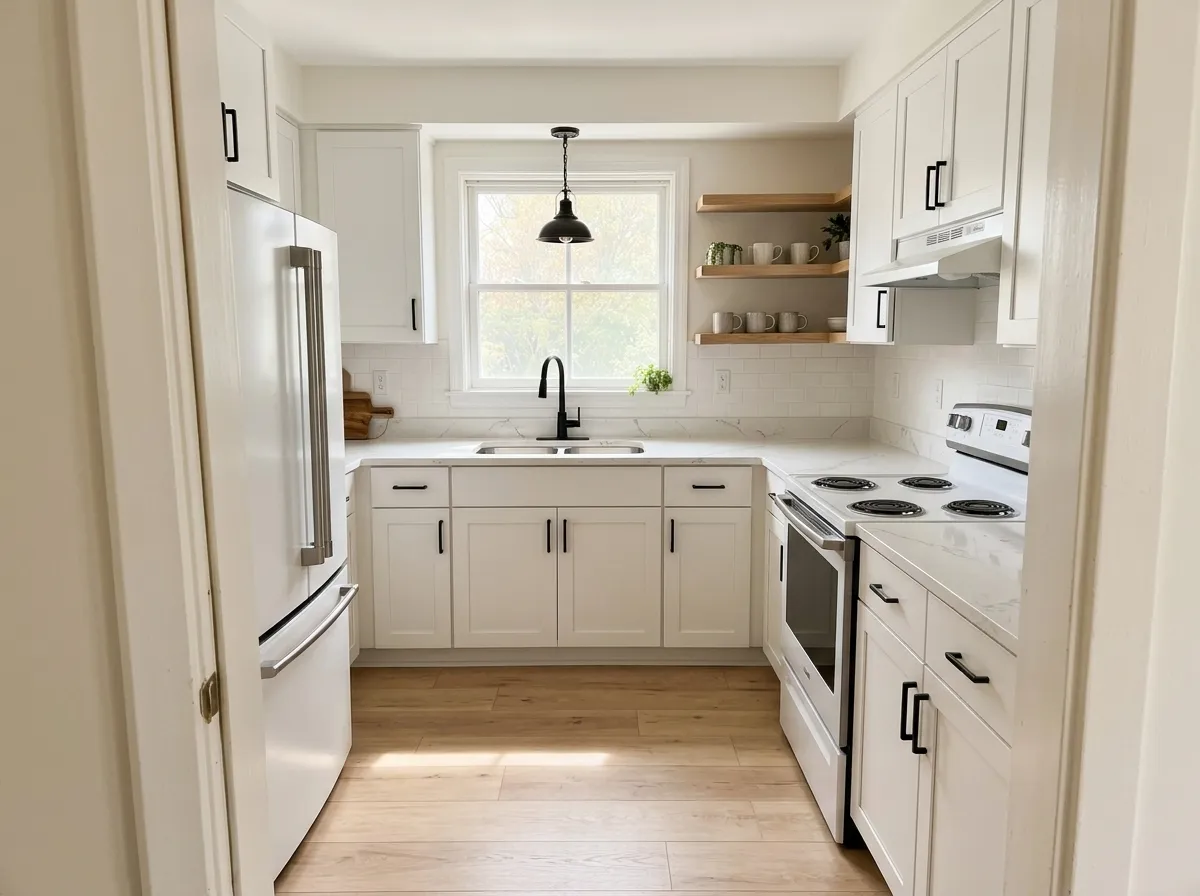
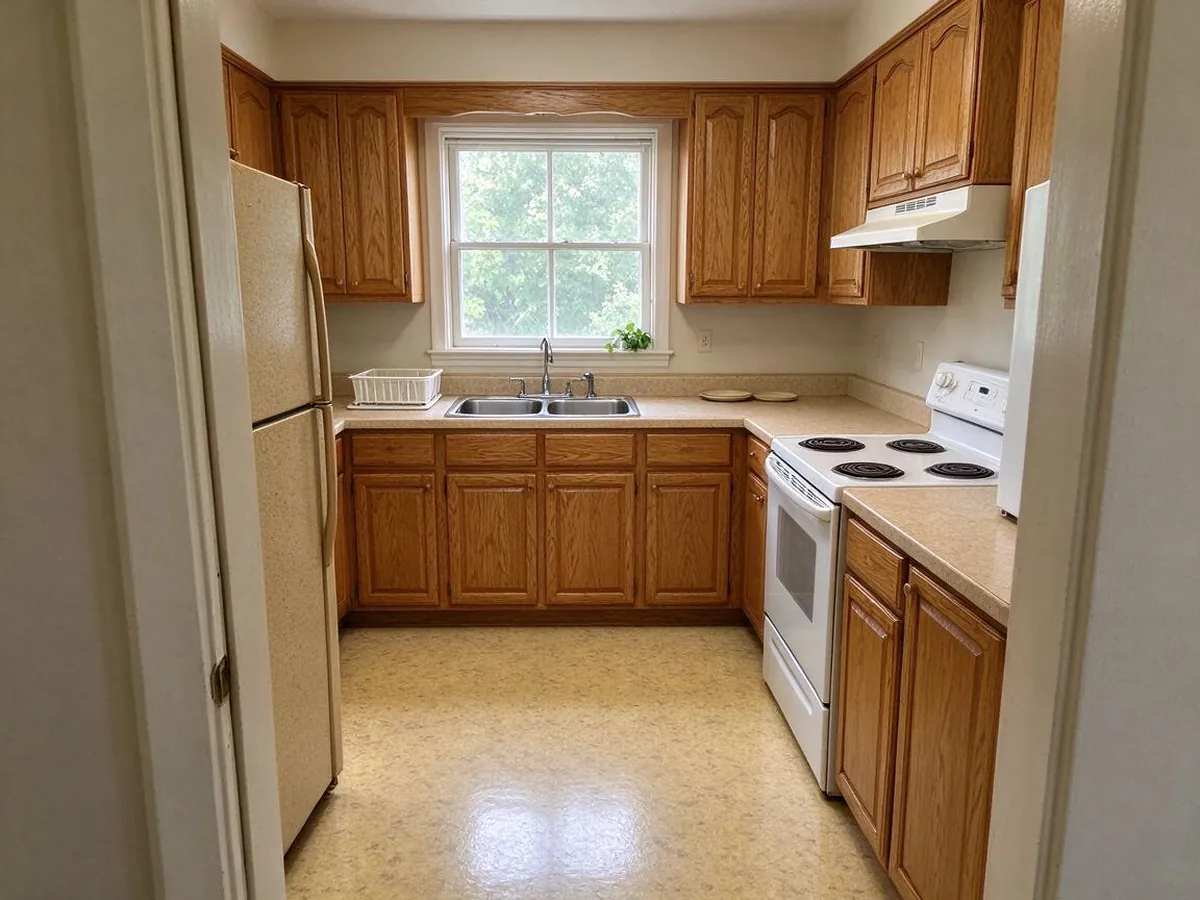 BeforeAfter
Trying black hardware on your own oak doors
To preview it, select the cabinets target and describe the doors with the new pulls in one line. The cabinet change can include the hardware finish, so the pulls switch to black while the rest of the photo stays the same.
For oak, describe the existing wood so the result keeps it, such as "keep the honey oak raised-panel cabinets, add matte black bar pulls". If you want only a light change, the Light refresh level also covers hardware swaps.
Pair the new hardware with a lighter backsplash or counter later if you can; black hardware on oak with a busy tan granite still looks busy.
Remove one old pull and take it to the store, or measure the distance between its screw holes from center to center. Buying pulls with the same spacing means no filling and redrilling, which is harder to hide on stained wood than on painted doors.
How to see it on your own kitchen
- Take a straight photo of your kitchen in daylight from the doorway or a corner, then upload it below (iPhone photos work as they are).
- The tool opens on "Change one thing" with cabinets selected. Pick a preset or type the exact cabinets you have in mind.
- Sign in with Google: the first 3 images are free, no credit card. Plans start at $14 a month for 25 images.
- In about 30 seconds you get the same kitchen with only the cabinets changed. Drag the slider to compare before and after, then download the one you like or keep editing one detail at a time.