How to update an oak kitchen without painting
Short answer: To update oak cabinets without painting them, change what surrounds them: matte black or brushed brass pulls, a backsplash in white, cream or soft green that calms the orange tone, a countertop without yellow speckle, and wall colors such as warm white or muted green. Cleaning and re-oiling the wood, or applying a clear refinisher, can also take years off the cabinets themselves.
What to know
Neutralize the orange
Honey and golden oak lean orange. Greens, creamy whites and blues sit opposite orange on the color wheel and calm it; beige and tan make it look more orange.
Change the hardware style
Slim black bar pulls or brass cup pulls read as current and break up the traditional raised-panel look.
Remove the dated surroundings
Oak looks most dated next to tan granite, almond tile and brass-look light fixtures. Replacing one of those often makes the oak look intentional.
Refresh the wood itself
Degreasing and a wipe-on finish refresher restore sheen without sanding. Damaged doors can be replaced individually.
Check the wall color under the uppers
The narrow strip of wall between counter and uppers shows more than you expect. Painting it with the backsplash color keeps the oak framed.
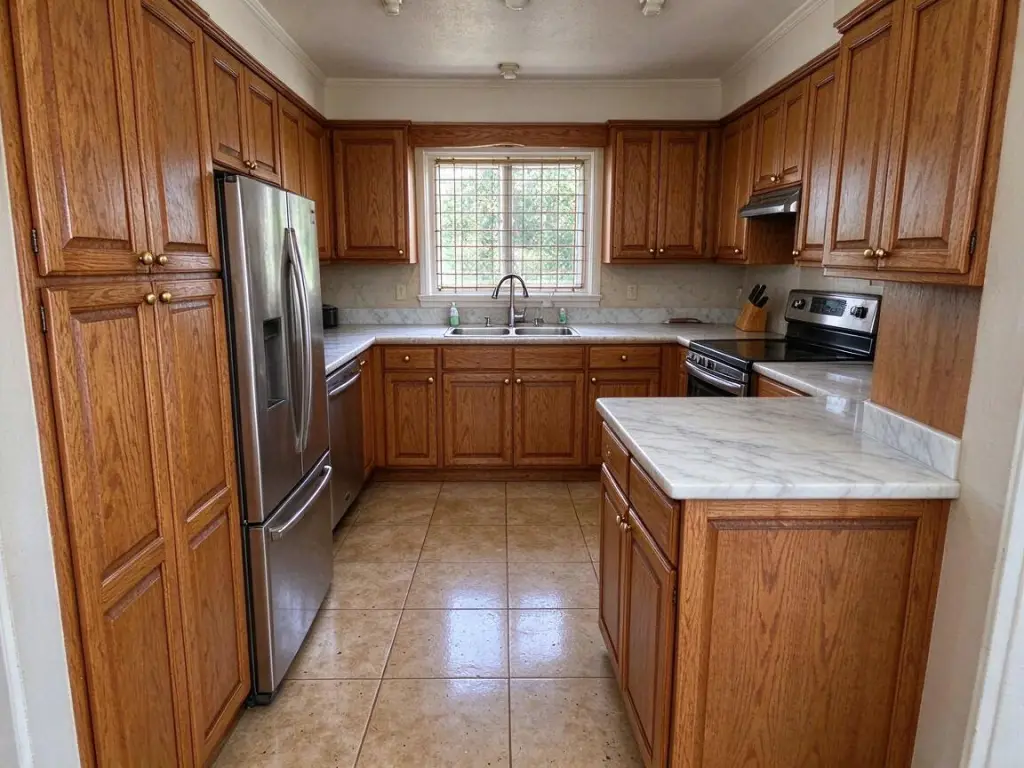
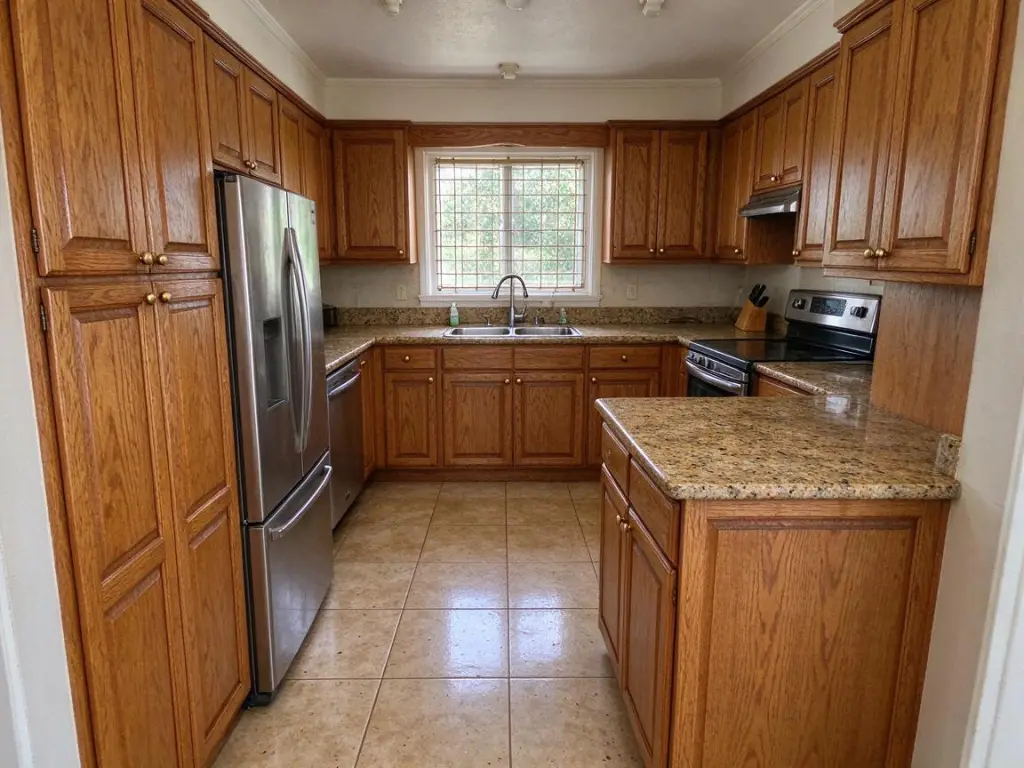 BeforeAfter
Which change to make first
Look at what sits right next to the oak. If it is a busy tan or brown granite, the counter is usually the biggest problem, and a plain white quartz or a light butcher block may help most. If the counter is fine but the backsplash is beige tile, a white or green tile is the cheaper first move.
Next, the walls and lighting. A wall color with a little green or gray in it, and lights in a warm but not yellow white, keep the oak from glowing orange.
You can try a backsplash or counter swap on a photo of your kitchen with the "Change one thing" option, which changes only that element and keeps your oak as it is.
How to see it on your own kitchen
- Take a straight photo of your kitchen in daylight from the doorway or a corner, then upload it below (iPhone photos work as they are).
- The tool opens on "Change one thing" with backsplash selected. Pick a preset or type the exact backsplash you have in mind.
- Sign in with Google: the first 3 images are free, no credit card. Plans start at $14 a month for 25 images.
- In about 30 seconds you get the same kitchen with only the backsplash changed. Drag the slider to compare before and after, then download the one you like or keep editing one detail at a time.