What color cabinets go with brown granite countertops?
Short answer: Brown and tan granite pairs best with warm cabinet colors: cream, antique white, warm greige, sage or olive green, and for contrast, deep navy or charcoal blue. Bright blue-white and cool gray usually make brown granite look muddy, so choose a white with a yellow or beige undertone.
What to know
The stone sets the undertone
Brown, tan and gold speckled granites like Santa Cecilia, New Venetian Gold or Baltic Brown are warm. Cabinets need a warm undertone too, or the granite looks dirty beside them.
Green is a strong match
Sage and olive green sit naturally next to tan and brown because they share the same earthy base. Brass knobs pull out the gold flecks in the stone.
Navy gives contrast without clashing
Blue is opposite orange-brown on the color wheel, so a deep navy makes tan granite look intentional. It works best on an island or lower cabinets.
Busy stone wants calm cabinets
Speckled granite already has a lot of pattern. Plain painted shaker or flat fronts keep the kitchen from feeling crowded.
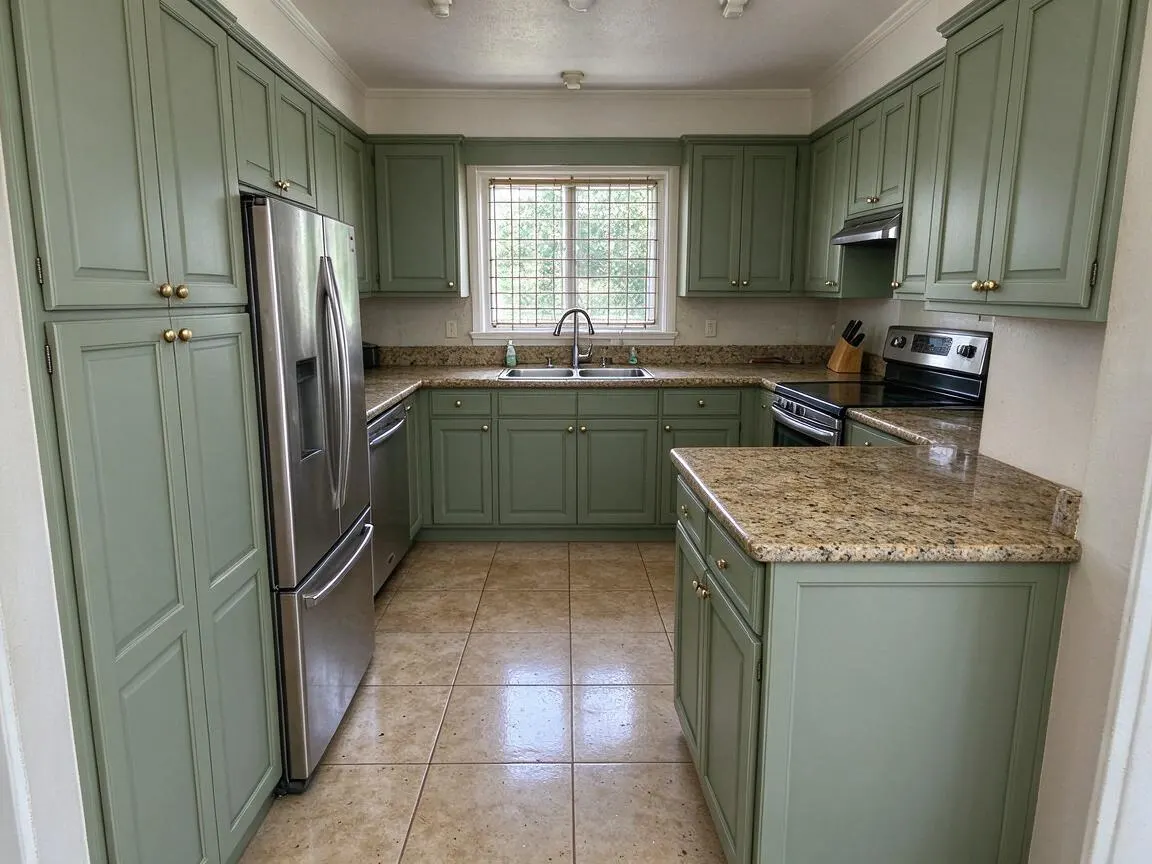
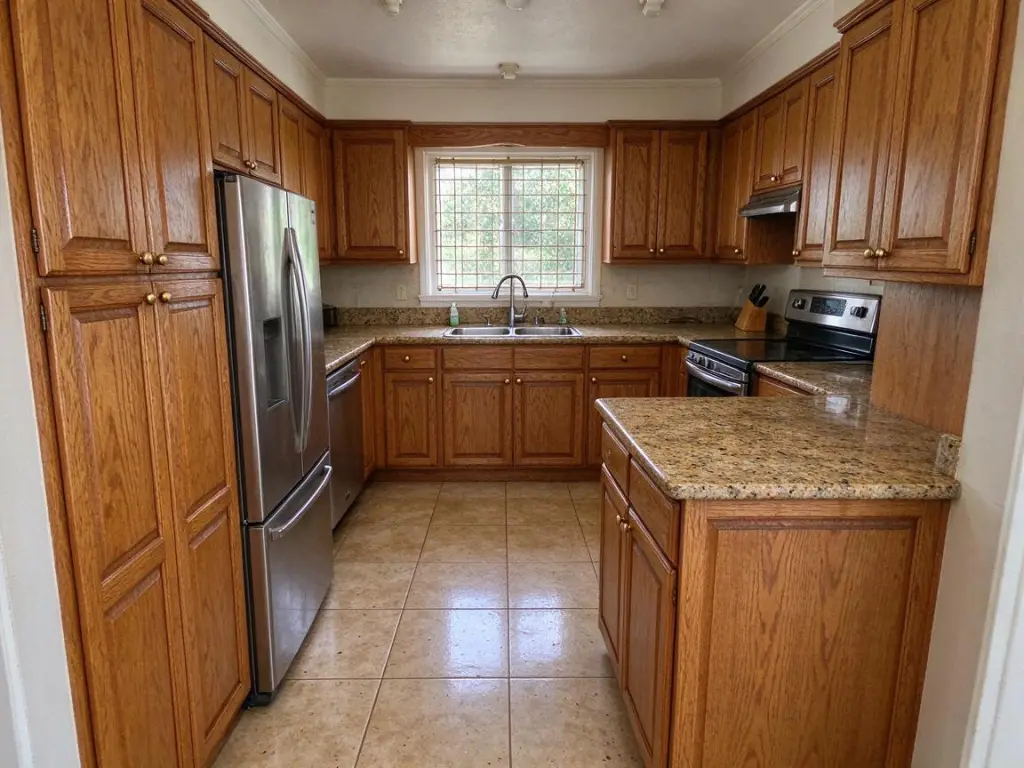 BeforeAfter
Updating oak or cherry cabinets around brown granite
Brown granite is often found with medium oak or cherry cabinets, and the two together can read as one brown block. Painting the cabinets is the cheapest change that separates them, and it keeps the counter you already paid for.
Cream and warm white make the room lighter. Sage green adds color while staying friendly to the granite. Navy is the boldest choice and looks best if the kitchen has good daylight.
If you plan to replace the counters later, choose the cabinet color that works with both: cream or a muted green will suit brown granite now and most white or warm quartz later.
Pay attention to the backsplash too. Many brown granite kitchens have a tumbled stone or tan tile backsplash that adds more beige. Once the cabinets are painted, a plain cream or white backsplash usually finishes the update better than another brown tone.
How to see it on your own kitchen
- Take a straight photo of your kitchen in daylight from the doorway or a corner, then upload it below (iPhone photos work as they are).
- The tool opens on "Change one thing" with cabinets selected. Pick a preset or type the exact cabinets you have in mind.
- Sign in with Google: the first 3 images are free, no credit card. Plans start at $14 a month for 25 images.
- In about 30 seconds you get the same kitchen with only the cabinets changed. Drag the slider to compare before and after, then download the one you like or keep editing one detail at a time.