How to update a kitchen with dated granite
Short answer: If you keep dated speckled granite, pull its quietest color for the cabinets and walls, such as cream, greige or soft green for tan granite, and use a plain backsplash like white subway or a solid tile so the granite is the only pattern. If it still dominates, replacing just the counter with a plain quartz, honed stone or butcher block, while keeping the cabinets, is the targeted fix.
What to know
One pattern only
Busy granite plus a busy backsplash looks dated. A plain backsplash lets the granite read as a feature.
Match the undertone
Tan and gold granite needs warm whites and greens; cool gray or blue-white cabinets fight it.
Honing can help
Some polished granite can be honed to a matte finish by a stone professional, which makes it look calmer. Ask whether your stone suits it.
Replace only the counter if needed
If cabinets are in good shape, a counter swap is a focused change that does not require new cabinets.
Change the hardware finish
Brass or black pulls draw the eye away from a busy counter better than chrome, which tends to blend into speckled stone.
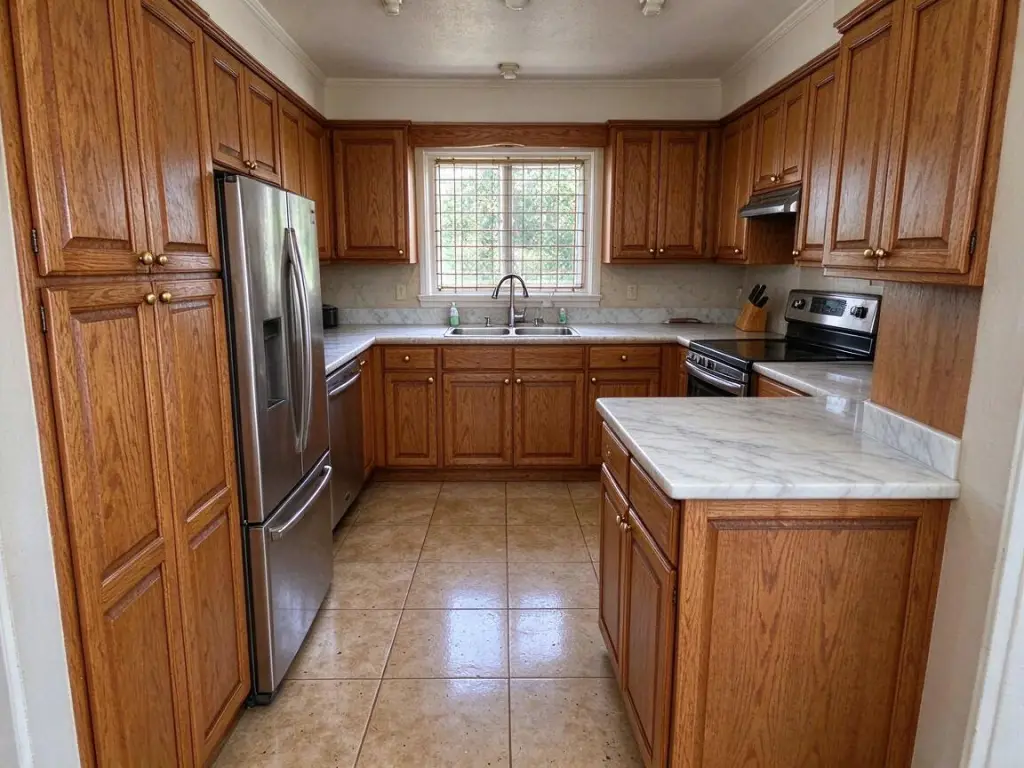
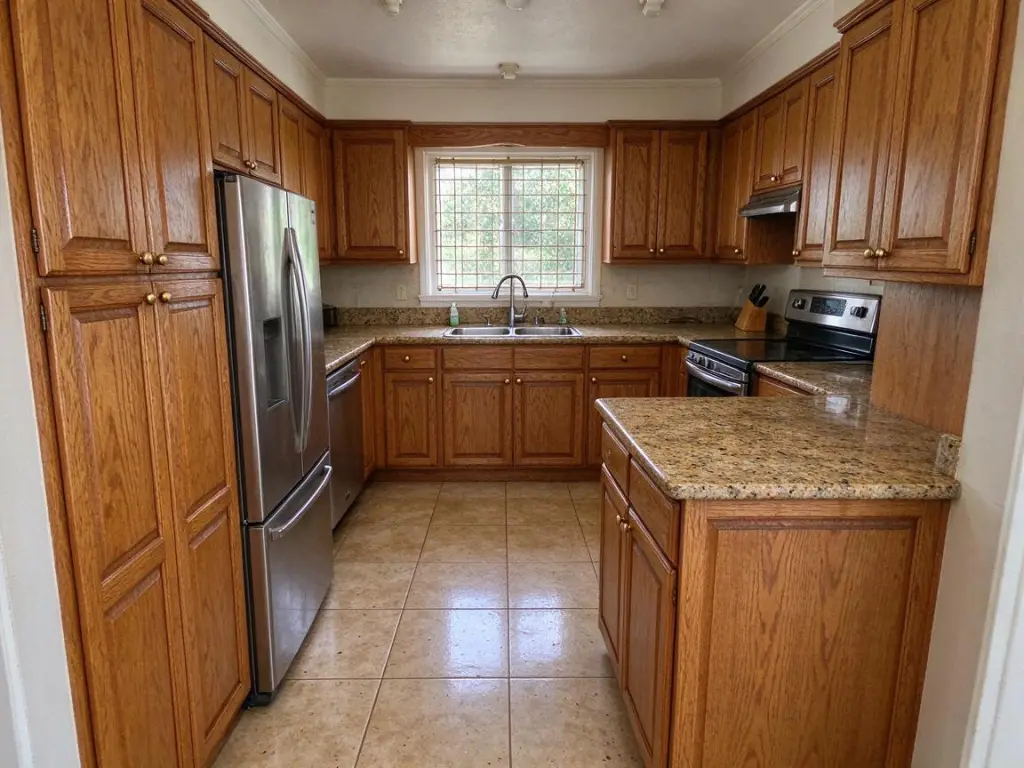 BeforeAfter
Keep or replace?
Hold a white sample and a cabinet paint chip against the granite in daylight. If you can find a cabinet color you like that does not clash, keeping the granite is the budget route. If every color you like looks wrong next to it, the counter is the item to change.
Preview both routes on a photo of your kitchen. The tool opens on "Change one thing" with the countertop selected, so you can see your kitchen with Carrara marble, white quartz or butcher block while everything else stays. Switch to cabinets to test keeping the granite with painted cabinets instead.
For cost, the free calculator at /kitchen-remodel-cost-calculator prices a counter replacement from your countertop area, so you can compare it with painting the cabinets.
If you decide to keep the granite for now, choose a cabinet color that will also suit a future plain counter, such as warm white or sage green. That way a later counter swap does not force you to repaint.
How to see it on your own kitchen
- Take a straight photo of your kitchen in daylight from the doorway or a corner, then upload it below (iPhone photos work as they are).
- The tool opens on "Change one thing" with countertop selected. Pick a preset or type the exact countertop you have in mind.
- Sign in with Google: the first 3 images are free, no credit card. Plans start at $14 a month for 25 images.
- In about 30 seconds you get the same kitchen with only the countertop changed. Drag the slider to compare before and after, then download the one you like or keep editing one detail at a time.