What backsplash goes with brown granite countertops?
Short answer: Brown granite has warm gold, tan and black flecks, so cream, almond, beige, taupe and muted green backsplashes suit it better than bright white or cool gray. A cream subway, a plain warm stone-look tile or a soft green zellige connects to the stone without adding a second pattern.
What to know
Skip stark white and cool gray
Next to brown granite, blue-white tile tends to look harsh and cool gray makes the stone look muddy. A white with a slight cream or yellow base is the safer version of white.
Green is the useful color
Muted olive, sage or bottle green sits well with the tan and brown flecks and makes the granite look intentional rather than dated.
Avoid the 2000s pairing
Tumbled travertine laid on the diagonal with small decorative inserts is what makes many brown granite kitchens look dated. A simple straight or offset layout in one tile reads newer.
Grout to the lightest fleck
Choose grout close to the lightest tone in the granite. It ties wall and counter together without outlining every tile.
Keep the tile shape simple
With busy brown granite, a 3x6 subway, a 4x4 square or a 2x8 brick is enough. Small mosaics and mixed sizes add a second busy pattern next to the stone.
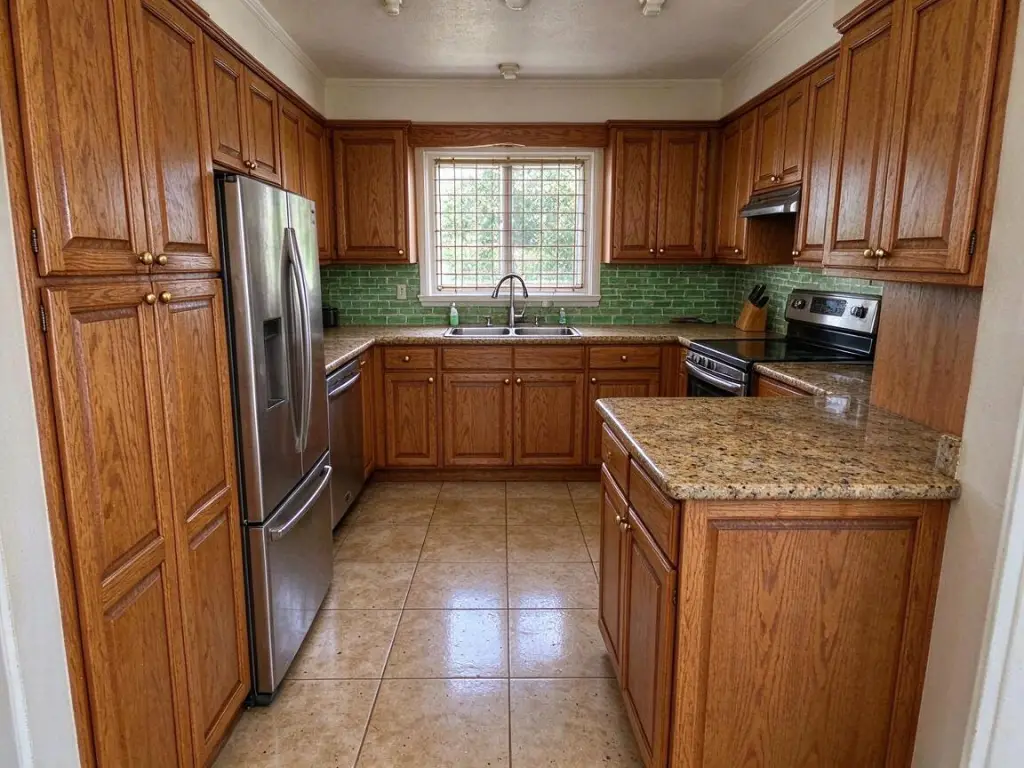
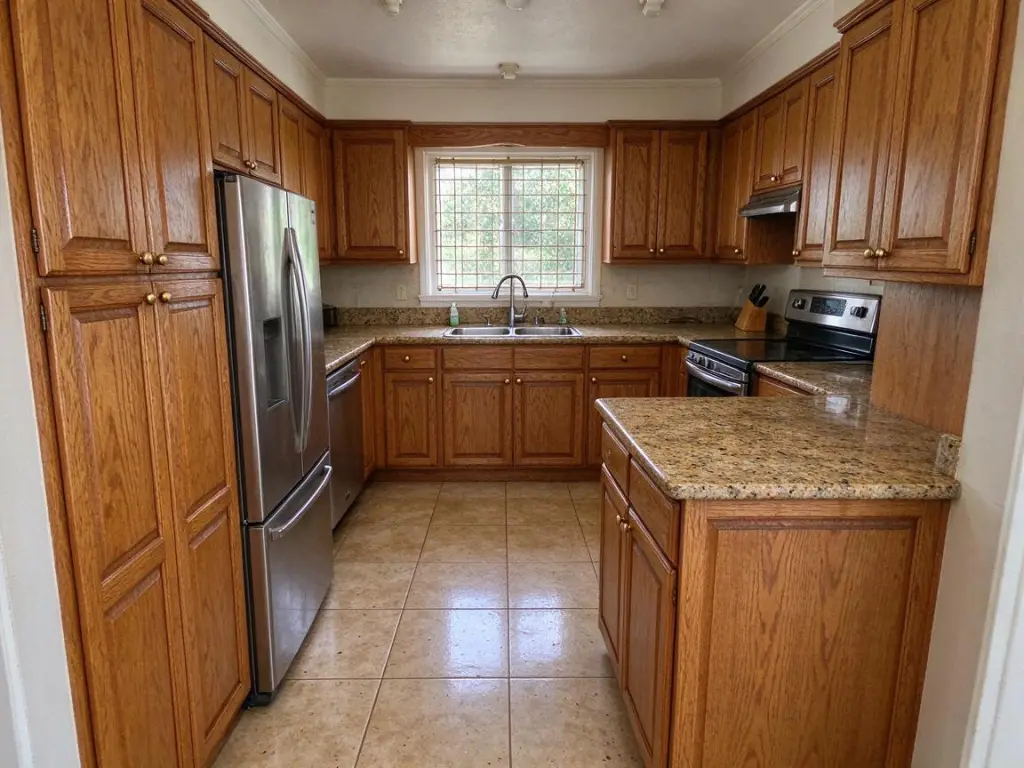 BeforeAfter
Freshening a brown granite kitchen without replacing the granite
Brown granite is durable and expensive to replace, so the backsplash is often the cheapest way to change how it reads. Removing the 4 in granite strip and tiling from counter to cabinet makes the counter look thinner and more current.
A glossy handmade tile helps a lot here. Brown granite absorbs light, and a reflective tile above it brightens the work area and adds texture that plain ceramic lacks.
If the cabinets are oak or cherry too, the room has a lot of warm brown. In that case the backsplash should be the lightest or the only cool-leaning element, such as a soft green or a pale warm white.
How to see it on your own kitchen
- Take a straight photo of your kitchen in daylight from the doorway or a corner, then upload it below (iPhone photos work as they are).
- The tool opens on "Change one thing" with backsplash selected. Pick a preset or type the exact backsplash you have in mind.
- Sign in with Google: the first 3 images are free, no credit card. Plans start at $14 a month for 25 images.
- In about 30 seconds you get the same kitchen with only the backsplash changed. Drag the slider to compare before and after, then download the one you like or keep editing one detail at a time.