Interior AI Alternatives in 2026: 5 Cheaper or Free Options
Interior AI costs $49 a month with no free trial listed. Compare 5 cheaper or free alternatives on free tries, price, layout and room types.
Disclosure: This comparison is written by the AI Kitchen Redesign team, and our tool is one of the alternatives listed. We have not run side-by-side quality tests. Facts come from each company's own website, checked October 2026, and may change.
Quick answer: Interior AI is a strong tool for volume (56 styles, 1,000 designs a month on Pro), but Pro costs $49 a month ($29 billed yearly) and the site does not mention a free trial. If you are a homeowner planning one remodel, a cheaper option usually fits better: AI Kitchen Redesign lets you try 3 free images with Google sign-in, no card with plans from $14 a month you can cancel anytime; GenRoom sells one-time packs; REimagineHome gives 5 free designs; Spacely AI gives 40 trial credits; DecorAI has 175 styles and a 30-day money-back guarantee.
Why look for an Interior AI alternative?
- Price: $49 a month is a lot for a single kitchen or bathroom project.
- No visible free trial: you cannot see results on your own photo before paying.
- Subscription only: many homeowners prefer to pay once.
- Focused edits: you may only want to change cabinets, counters or the floor.
How do the alternatives compare?
| Tool | Free to try | Sign-up | Paid from | Best for |
|---|---|---|---|---|
| Interior AI | Not stated | Account | $49 / month ($29 yearly) | 56 styles, high volume, commercial license |
| AI Kitchen Redesign | 3 free images (one time) | Google sign-in, no card | $14 / month for 25 images ($12 yearly) | Kitchens, baths, rooms and yards that keep their layout |
| DecorAI | 3 designs, 1-day trial | Account and card | $24 / month | 175 styles, 30-day money-back guarantee |
| GenRoom | 6 credits | Account | $9.99 one-time for 36 credits | One-time packs for rooms, facades and yards |
| REimagineHome | 5 designs | No credit card | Monthly plans | Structure lock and real products |
| Spacely AI | 40 trial credits | Account | Paid tiers | Pro renders and CAD integrations |
From each tool's website, checked October 2026.
1. AI Kitchen Redesign: best for trying before you pay
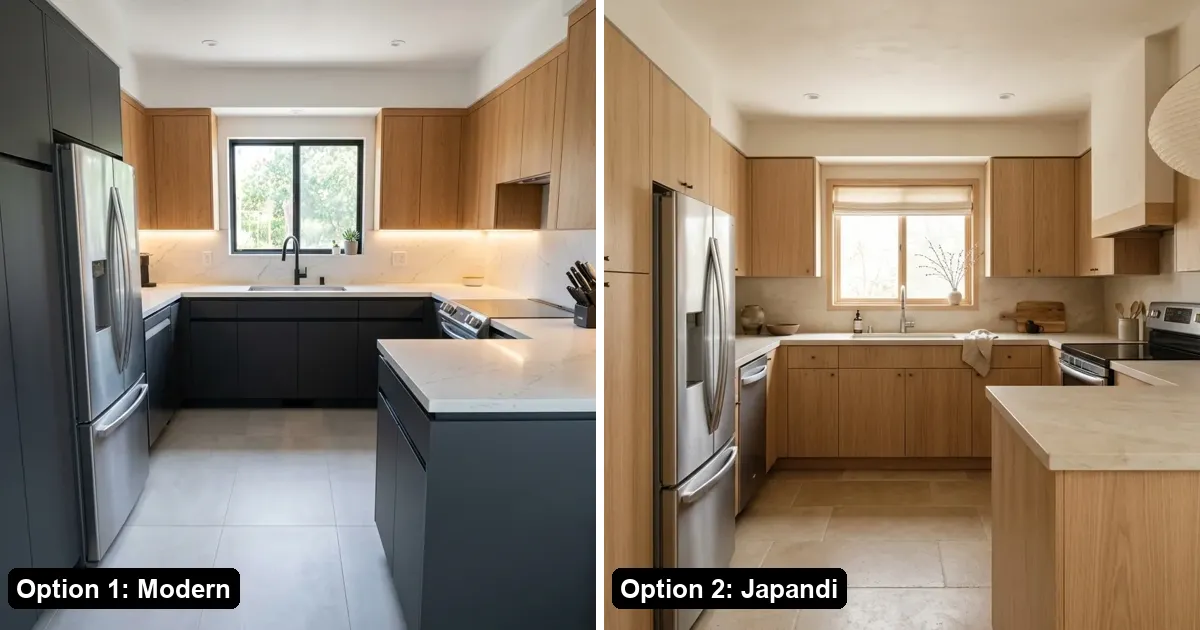
Upload one photo of a kitchen, bathroom, living room, bedroom or yard and get two redesigns in about 30 seconds. Walls, windows, doors and the camera angle stay put; if the AI moves them you can claim the image back for a stricter redo. Use Change one thing to swap only the cabinets, countertop, backsplash, floor or wall color, for example with the cabinet color visualizer or the countertop visualizer.
- Free: 1 image with a small watermark, one time, after Google sign-in. No credit card.
- Paid: subscription plans, monthly or yearly: Mini $14 a month (25 images), Personal $18 (75) and Premium $36 (200, plus 2K). All paid plans have no watermark and allow commercial use; cancel anytime.
2. DecorAI: best for style variety
DecorAI lists 175 styles (54 interior, 67 exterior, 54 garden). New users get a 1-day trial with 3 designs and no watermark, but the trial asks for a card; after that it is $24 a month, with a 30-day money-back guarantee.
3. GenRoom: best one-time alternative for exteriors
GenRoom covers interiors, facades and yards on one-time packs from $9.99 for 36 credits; credits last 180 days. New accounts get 6 credits, and free results carry a small watermark.
4. REimagineHome: best for free designs and products
REimagineHome gives 5 free designs with no credit card, keeps structure by default and can show real products in the room. It is a monthly subscription afterwards.
5. Spacely AI: best for professionals on a budget
Spacely's Free plan includes 40 trial credits, listed as watermark-free with a commercial license. Paid plans add seats and integrations such as SketchUp and Revit.
Which Interior AI alternative should I pick?
- One home project, no subscription: GenRoom.
- One home project, low monthly price you can cancel: AI Kitchen Redesign (from $14 a month).
- Try free on your own photo, no card: AI Kitchen Redesign.
- Most free credits: Spacely AI (40) or REimagineHome (5 designs).
- Lots of styles: DecorAI (175).
- Agency volume: Interior AI itself is still a good fit.
Looking for a kitchen design tool or app?
Interior AI and its alternatives work from a photo. If you need to draw a new layout, see our kitchen design tools and apps table, which also covers IKEA Kitchen Planner, Planner 5D and SketchUp.
FAQ
Does Interior AI have a free trial?
Its pricing page, checked October 2026, does not mention one. Pro is $49 a month or $29 a month billed yearly.
What is a cheaper alternative to Interior AI?
AI Kitchen Redesign starts at $14 a month for 25 images (cancel anytime), and GenRoom at $9.99 one-time for 36 credits with no subscription.
Which alternative keeps my room layout?
AI Kitchen Redesign, GenRoom and REimagineHome all say they preserve structure. AI Kitchen Redesign also refunds and redoes an image if walls or windows move.
Can I use the images commercially?
Interior AI Pro includes a commercial license. On AI Kitchen Redesign all paid plans allow commercial use; the free images are for personal use. Spacely lists a commercial license on its free plan.