Does a checkerboard kitchen floor work?
Short answer: A checkerboard kitchen floor works well when the cabinets and walls are plain, because the floor then becomes the one strong pattern in the room; it suits vintage, cottage, French country and small kitchens in particular. Classic black and white is the boldest version, while softer pairs like cream and terracotta, cream and green, or two grays give the same pattern a calmer look.
What to know
Keep everything else quiet
With a checkerboard floor, choose solid cabinet colors and a simple backsplash. A patterned backsplash plus checkerboard floor usually feels busy.
Diagonal makes a room look wider
Laying the tiles at 45 degrees draws the eye across the room and can make a narrow galley feel wider. Square-on layouts look more graphic and modern.
Tile size changes the effect
Small tiles, such as 6 by 6 in, look vintage. Larger tiles, such as 12 by 12 or 18 by 18 in, look calmer and more modern, and there are fewer grout lines.
Black and white shows everything
Crumbs show on black, dirty water shows on white. Softer color pairs and matte tiles are more forgiving.
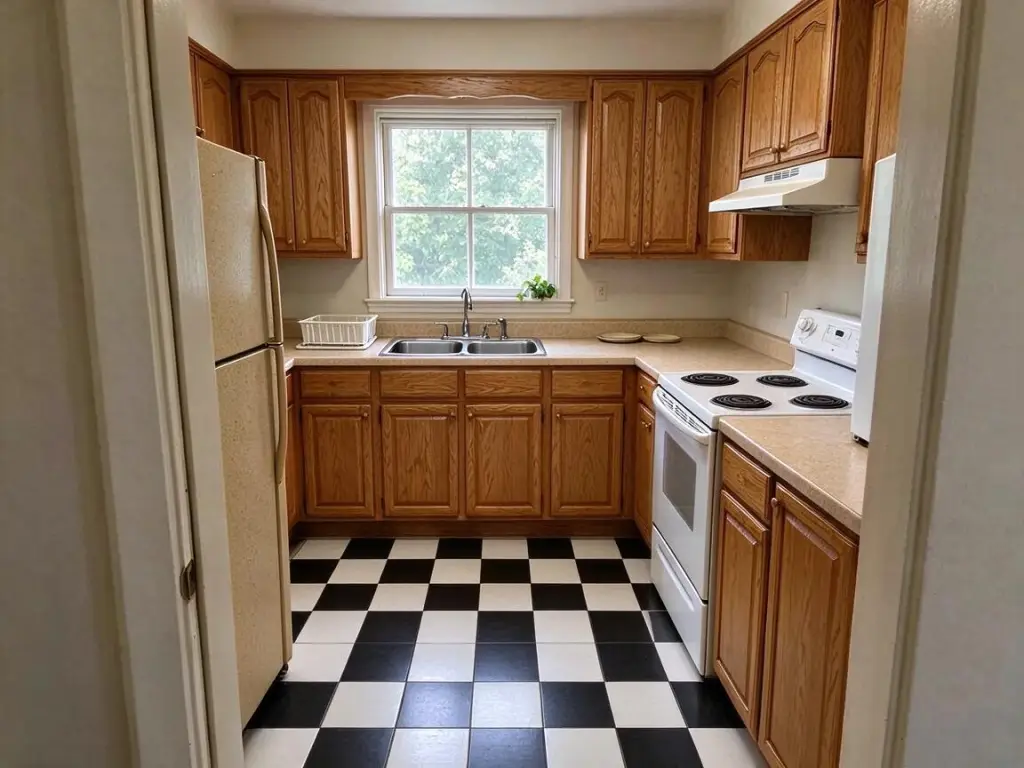
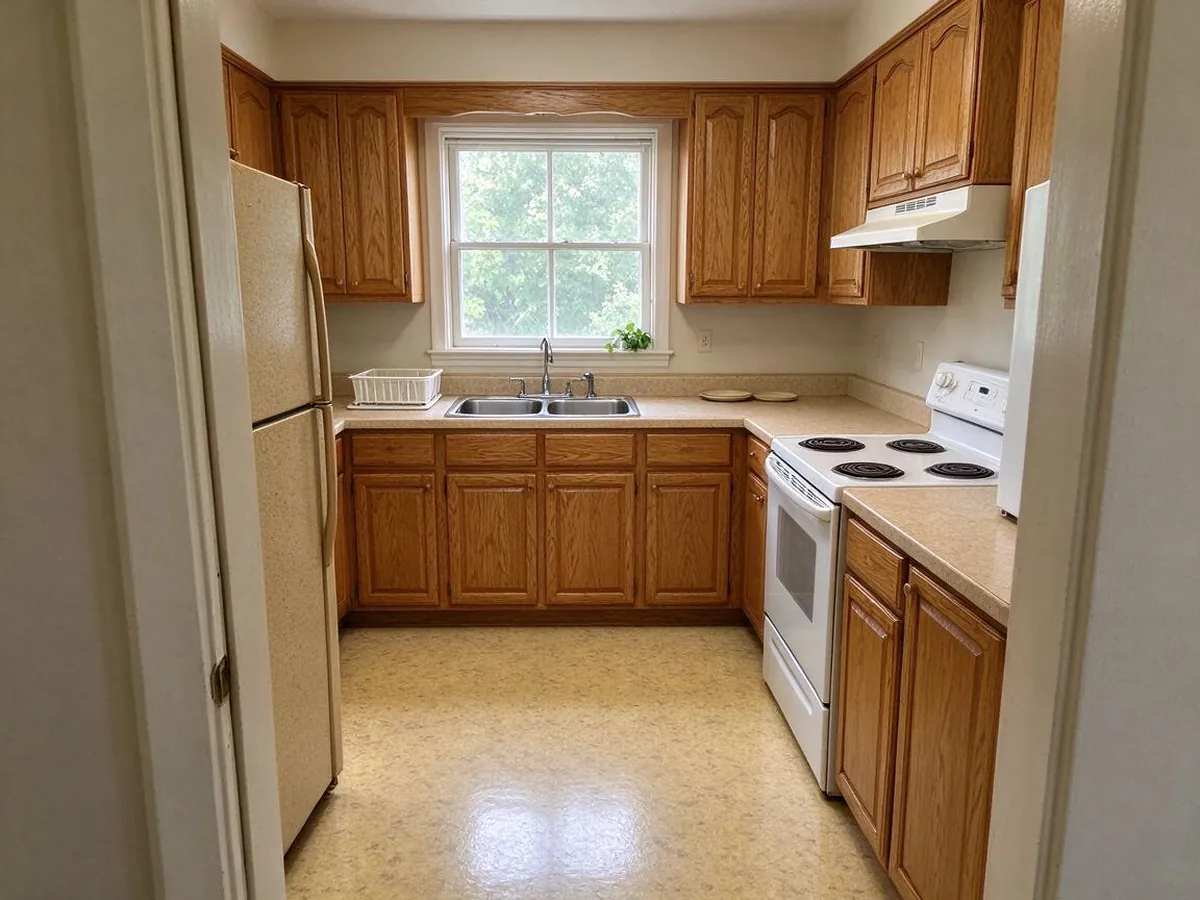 BeforeAfter
Choosing material and colors
Porcelain tile is the most durable choice and comes in matte finishes that hide wear. Marble checkerboard looks rich but needs sealing and etches with acidic spills. Vinyl tile or sheet in a checkerboard is a renter-friendly and budget option.
Pick colors from the cabinets: green cabinets with cream and green, white cabinets with black and white or cream and terracotta, wood cabinets with cream and soft gray.
Running the checkerboard into an open living area can be too much. Many people stop it at the kitchen boundary and switch to wood.
Grout color changes the look more than people expect. A grout that matches the lighter tile softens the pattern; a gray grout between black and white tiles gives a slightly worn, vintage look and hides staining better than bright white grout.
How to see it on your own kitchen
- Take a straight photo of your kitchen in daylight from the doorway or a corner, then upload it below (iPhone photos work as they are).
- The tool opens on "Change one thing" with floor selected. Pick a preset or type the exact floor you have in mind.
- Sign in with Google: the first 3 images are free, no credit card. Plans start at $14 a month for 25 images.
- In about 30 seconds you get the same kitchen with only the floor changed. Drag the slider to compare before and after, then download the one you like or keep editing one detail at a time.