Vinyl plank or tile for a kitchen floor?
Short answer: Luxury vinyl plank (LVP) is the better choice if you want a warm, softer, quieter floor that many homeowners can install over an existing floor, while porcelain tile is better if you want the hardest, most heat- and scratch-resistant surface that can last for decades. Both handle kitchen spills well; the deciding factors are usually comfort underfoot, the subfloor you have, and whether the floor continues into wood-floored rooms.
What to know
Comfort and noise
Vinyl plank is softer and warmer underfoot and quieter. Tile is hard and cold unless you add underfloor heating, and dropped dishes are more likely to break.
Durability under heavy use
Porcelain resists scratches from chairs and pet claws better and is not affected by heat. Vinyl can dent under heavy appliances and fade in strong sun.
Installation
Click-lock vinyl floats over many existing floors and goes in quickly. Tile needs a flat, stiff subfloor, mortar and grout, and takes more time and skill.
Look and continuity
Wood-look vinyl can run from the kitchen into living areas. Tile offers stone, concrete, terrazzo and patterned looks that vinyl copies less convincingly.
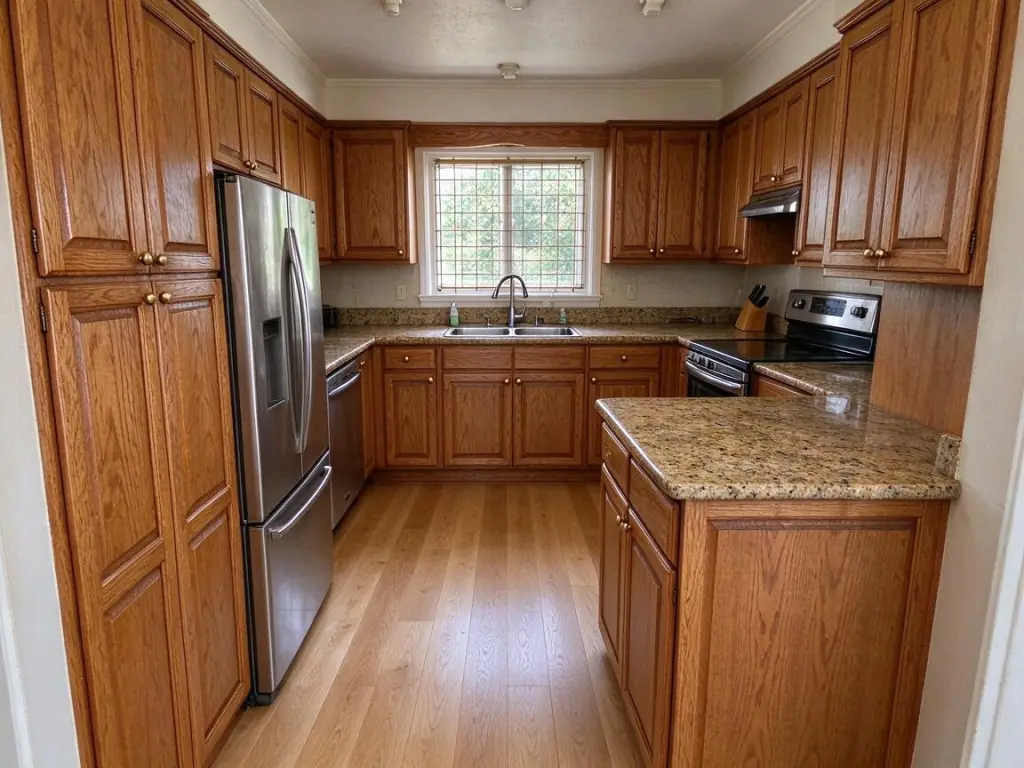
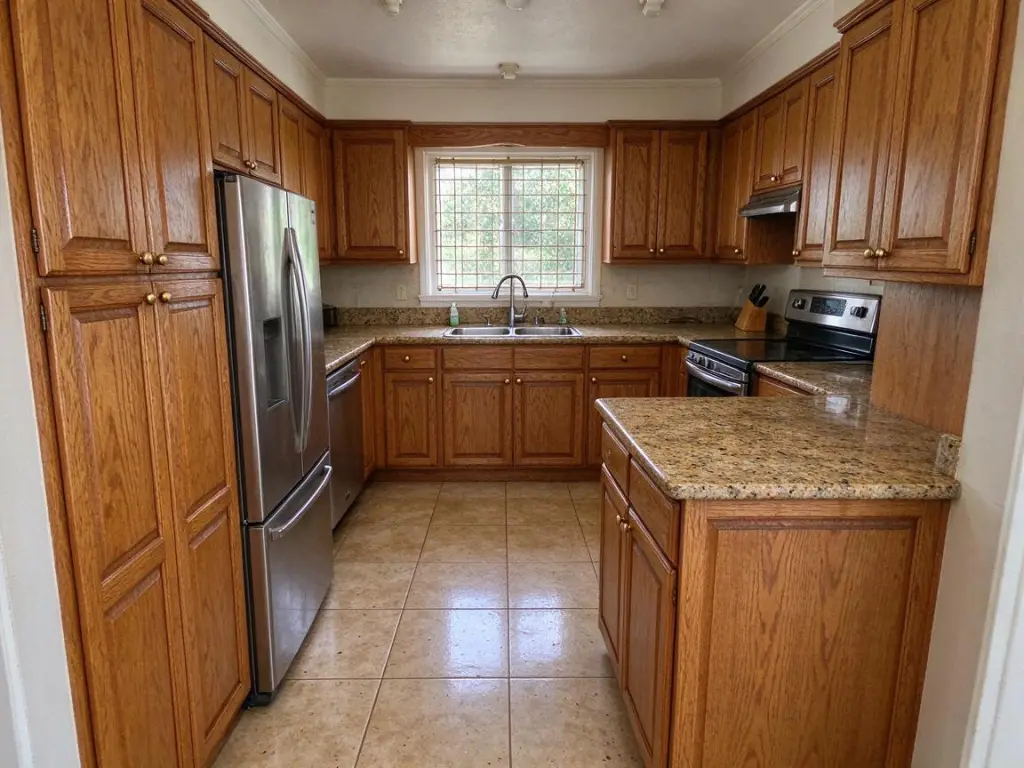 BeforeAfter
Questions that decide it
Is the kitchen open to rooms with wood floors? A wood-look plank that continues through looks larger and more unified. Is it a closed kitchen with a utility room? Tile may be the more durable choice.
Do you stand and cook for long periods? Many people find vinyl easier on the feet. Do you have a large dog, or heavy chairs dragged daily? Porcelain shows wear less.
Measure first: the flooring calculator works out how many boxes you need with a waste allowance for both plank and tile layouts.
Consider the appliances too. Floating vinyl is usually installed around fixed cabinets, while tile can run under them, and either way the dishwasher and fridge must still slide out. Check the finished floor height so the dishwasher still fits under the counter.
How to see it on your own kitchen
- Take a straight photo of your kitchen in daylight from the doorway or a corner, then upload it below (iPhone photos work as they are).
- The tool opens on "Change one thing" with floor selected. Pick a preset or type the exact floor you have in mind.
- Sign in with Google: the first 3 images are free, no credit card. Plans start at $14 a month for 25 images.
- In about 30 seconds you get the same kitchen with only the floor changed. Drag the slider to compare before and after, then download the one you like or keep editing one detail at a time.