What countertop goes with oak or honey oak cabinets?
Short answer: Oak cabinets pair well with white marble-look quartz or real Carrara for contrast, soft warm-gray quartz for a calm look, and black soapstone or honed granite for a grounded traditional feel. Because oak has a strong open grain, a counter with quiet or gently veined pattern usually looks better than a busy speckled granite.
What to know
Strong grain wants a quiet counter
Red and white oak both show bold cathedral grain on raised-panel doors. Two busy patterns side by side, like grain plus speckled granite, compete; a soft vein or solid color lets the wood be the texture.
Know which oak you have
Red oak leans pink-orange, white oak leans greige, and stained medium oak sits in between. Warm whites suit red oak; cooler whites and grays sit better with white oak or a neutral stain.
Marble looks help oak look fresher
A white counter with gray veins on medium oak cabinets is one of the quickest ways to update a 2000s kitchen while keeping the doors.
Edge profile matters with raised panels
Traditional raised-panel oak doors look natural with an eased or small bullnose edge. A very thin, sharp modern edge can look out of place unless the doors are flat slab oak.
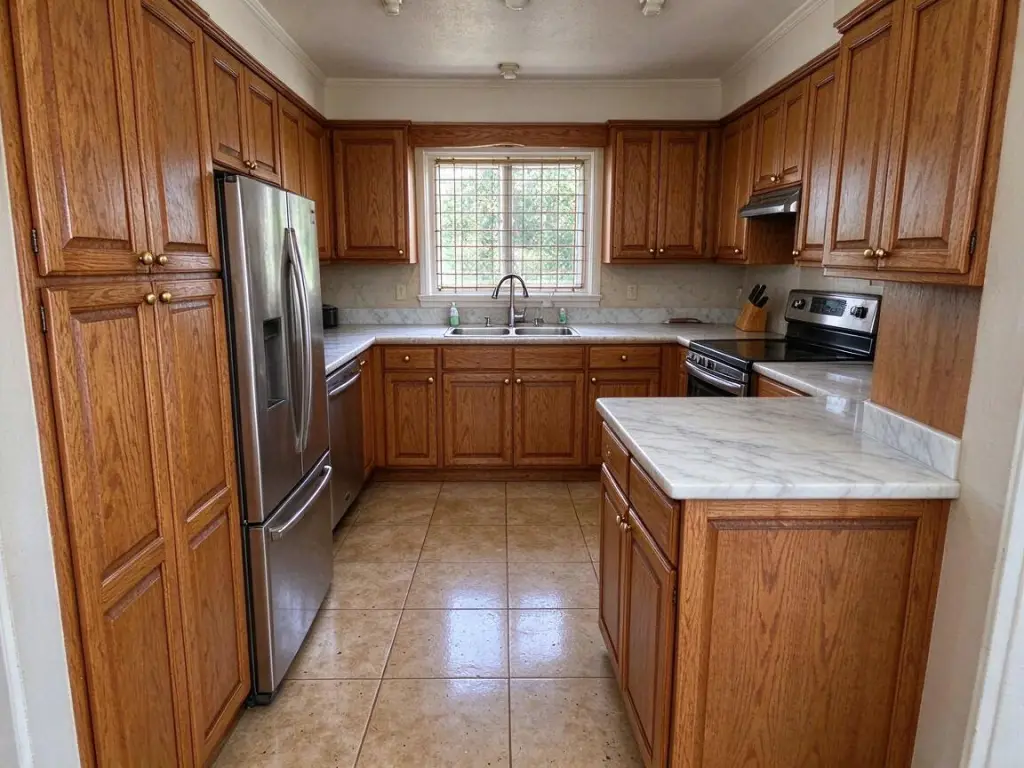
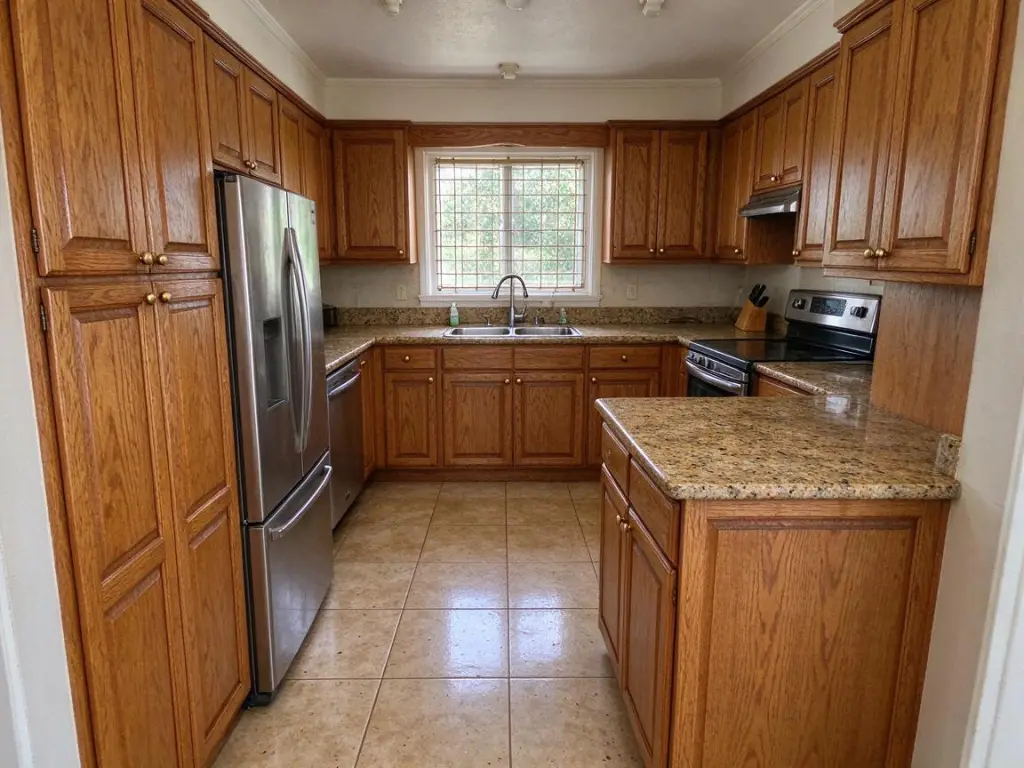 BeforeAfter
Matching the counter to the oak finish
Lighter natural or white oak, often on flat-panel doors, reads modern. It works with white quartz, concrete-look gray and matte black. Keep metals in brushed nickel, black or warm brass depending on how warm you want the room.
Medium stained oak, the common 2000s finish, pairs well with white and gray marble looks, warm gray quartz and black. The tan speckled granite it often came with is the piece that makes it look dated.
If your oak has gone orange with age, read the honey oak guidance: warm whites and charcoal tones are safer than cool grays.
How to see it on your own kitchen
- Take a straight photo of your kitchen in daylight from the doorway or a corner, then upload it below (iPhone photos work as they are).
- The tool opens on "Change one thing" with countertop selected. Pick a preset or type the exact countertop you have in mind.
- Sign in with Google: the first 3 images are free, no credit card. Plans start at $14 a month for 25 images.
- In about 30 seconds you get the same kitchen with only the countertop changed. Drag the slider to compare before and after, then download the one you like or keep editing one detail at a time.