What floor goes with oak kitchen cabinets?
Short answer: Oak cabinets look best with a floor that clearly differs from them in tone: a noticeably lighter wide-plank oak, a dark walnut or espresso wood, or a stone-look tile in warm gray, slate or terracotta. The common mistake is a wood floor that almost matches the cabinets, which makes the two look like a failed attempt to match.
What to know
Go clearly lighter or clearly darker
Two medium oak tones a shade apart look accidental. A pale wide-plank floor under medium oak cabinets, or a dark walnut floor under light oak, looks deliberate.
Change the grain scale
Oak doors have bold grain. Wide planks with calmer grain, or a smooth tile, keep the floor from competing with the cabinets.
Tile is the easy neutral
Warm gray or greige porcelain in a larger format, such as 12 by 24 in, sits well under oak and is easy to clean. Avoid the pinkish beige of many 1990s tiles.
Honey oak needs cooler floors
Orange-toned honey oak looks calmer over a floor with a slightly cool or neutral tone, such as greige tile or a gray-washed plank.
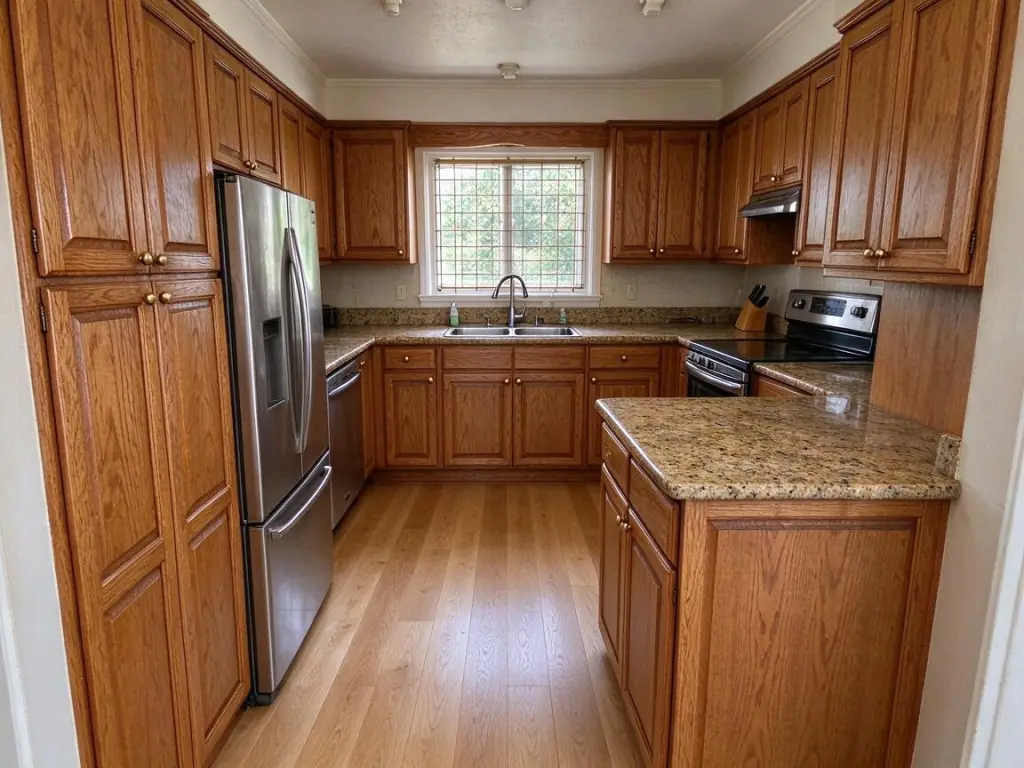
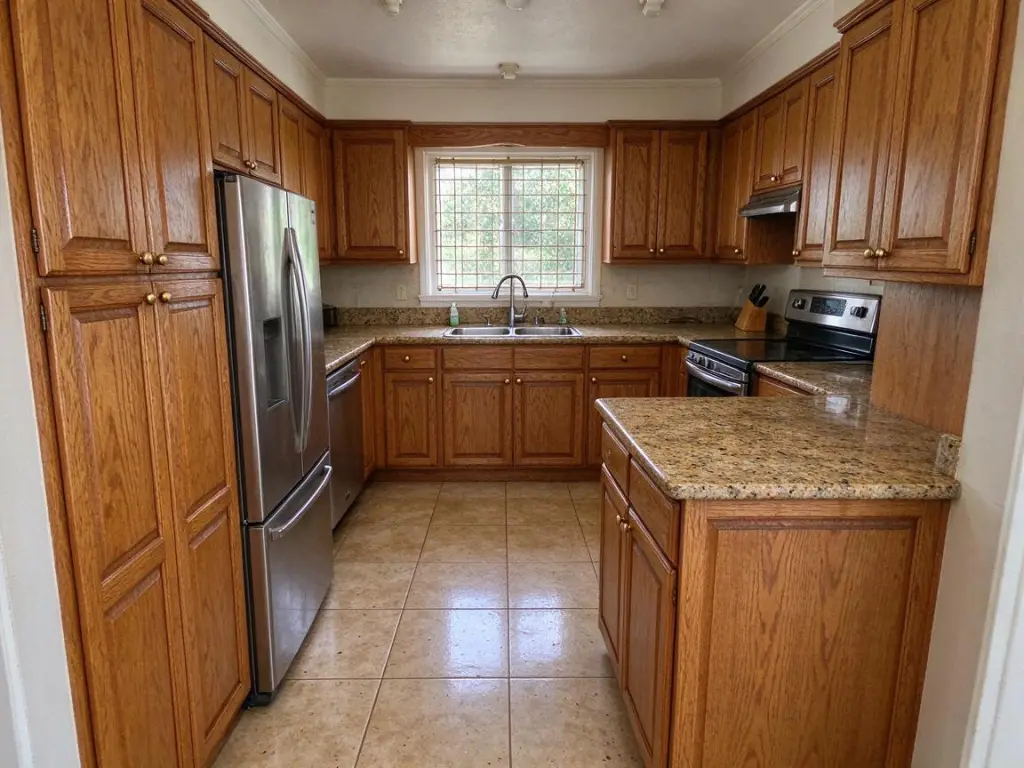 BeforeAfter
Wood, tile or vinyl under oak
Wood or wood-look vinyl plank is the warmest choice and continues well into an open living area. Pick a plank at least a few shades lighter or darker than the doors and look at it next to a door in daylight.
Stone-look porcelain in warm gray, slate or a soft limestone look gives oak cabinets a more grounded, traditional feel and handles spills and dropped pans better than wood.
Terracotta or a warm patterned tile can work with lighter oak in a Mediterranean or rustic kitchen, but with orange honey oak it piles on more orange.
Lay any sample right under the toe kick, where the floor meets the bottom of the cabinets. That is where a near-match or a clashing undertone shows most clearly, and it is the view you will see every time you walk in.
How to see it on your own kitchen
- Take a straight photo of your kitchen in daylight from the doorway or a corner, then upload it below (iPhone photos work as they are).
- The tool opens on "Change one thing" with floor selected. Pick a preset or type the exact floor you have in mind.
- Sign in with Google: the first 3 images are free, no credit card. Plans start at $14 a month for 25 images.
- In about 30 seconds you get the same kitchen with only the floor changed. Drag the slider to compare before and after, then download the one you like or keep editing one detail at a time.